Replacing Jammed Lead in a Mechanical Pencil
ID: 169412
Description: If you find yourself unable to dispense more...
Steps:
- Twist the cone of the mechanical pencil counterclockwise to remove it.
- Twist and pop out the eraser shaft.
- It should come out with the long tube.
- Be cautious as the spring could also come out. Make sure to not misplace it, as it is quite tiny.
- Remove any excess lead from the eraser shaft hole that may be causing the jam.
- Gently tap it against the table if it doesn't come out.
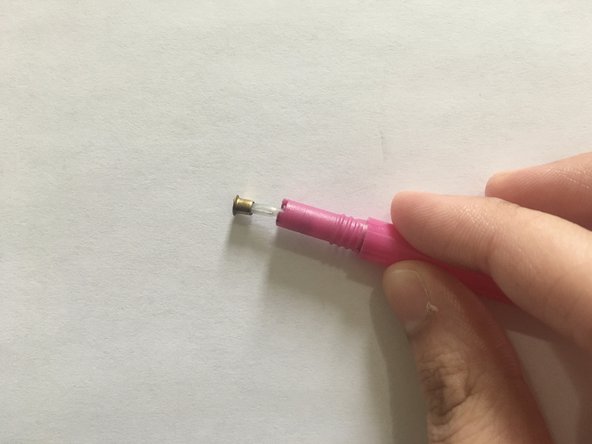
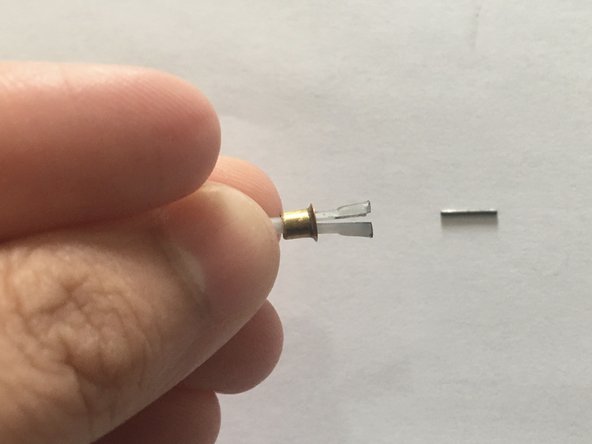
- Gently pull out the lead dispenser from the sleeve.
- Push the gold cover down from the dispenser to release the jammed lead.
- Insert the eraser shaft into the pencil sleeve and hold it down.
- Gently insert the lead dispenser into the other side of the pencil sleeve until you hear a "click."
- Screw the nose cone clockwise to reattach it to the pencil.
- Take another lead and gently insert it through the cone of the pencil.