Acer Aspire 5 A515-56-347N Battery Replacement
ID: 170565
Description: If you are experiencing decreased battery life...
Steps:
- Turn the laptop off, and disconnect the power cable.
- Flip the laptop upside down.
- Remove the eleven 6.6 mm Phillips #0 screws from the bottom cover.
- Insert a plastic opening tool into a gap between the case and the bottom cover.
- Insert blue plastic picks into the gap between the case and the bottom cover, working around the seam.
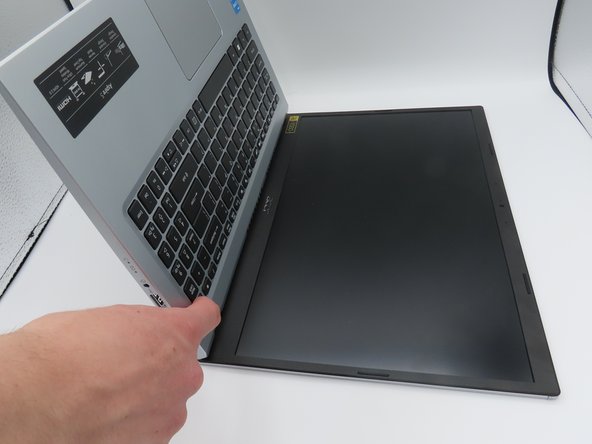
- The bottom cover is now loose. Pull it upwards, away from the laptop, and set it aside.
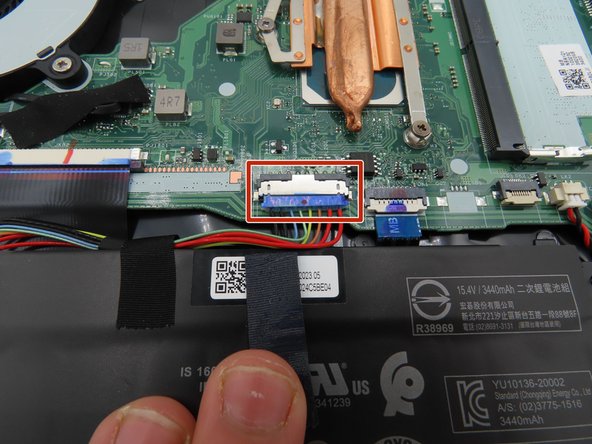
- Use a plastic spudger to loosen the black tape around the large battery connector on the motherboard.
- Once loosened, pull back on the tape to remove it from the connector.
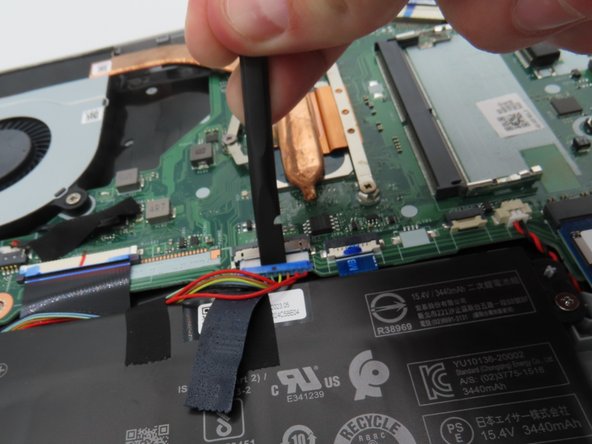
- Use a plastic spudger to pull the battery connector away from the motherboard.
- Leave the battery unplugged for the following steps.
- Press and hold the laptop's power button for about five seconds to discharge any remaining power in the system.
- Do not touch any exposed components while carrying out this step or put them in contact with conductive materials.
- Leave the battery connector unplugged and out of the way for the rest of the time the laptop is open.
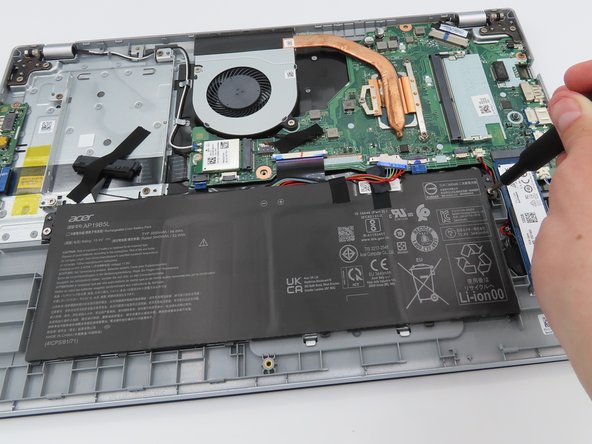
- Remove the two 4.7 mm Phillips #0 screws from each side of the battery.
- The battery is now fully loosened. Gently lift it out of the laptop and set it aside.