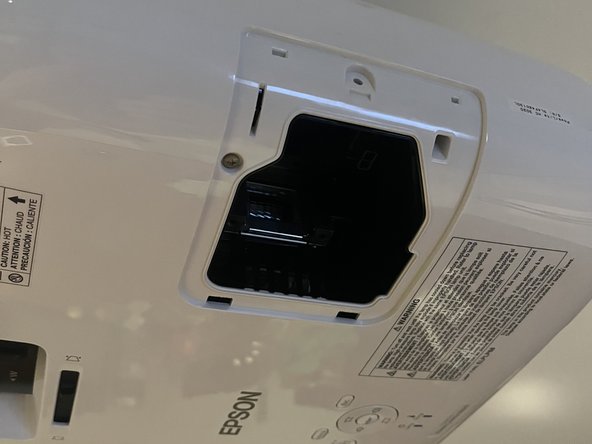
Epson PowerLite Home Cinema 3020 Projector Lamp Replacement
ID: 170620
Description: It is common for light bulbs to burn out and...
Steps:
- Power off and Unplug the Projector.
- Allow the lamp to cool for at least an hour.
- The lamp inside the projector may be hot to the touch, posing risk of skin burns. Please ensure that the projector has been unplugged and left to cool before beginning this repair.
- Use a Phillips #00 screwdriver to unscrew the captive screw on the lamp cover.
- Slowly remove the cover once unscrewed.
- Unscrew the two captive screws at the base of the lamp by turning them counter clockwise using the Phillips #00 Screwdriver.
- This lamp contains mercury, handle with caution once removed.
- Place the new lamp in and screw back in place.
- Using the Phillips #00 Screwdriver, rotate the screws clockwise but avoid tightening them to the point of resistance.
- The new lamp should be placed so that the CAUTION sign is facing outward.
- Place cover for the lamp housing back on.
- Using the Phillips #00 Screwdriver, rotate the screw clockwise but avoid tightening it to the point of resistance.
- Make sure that the new lamp is screwed in tightly before putting back the lamp housing cover.
- Safely dispose of burnt-out lamp according to your municipality’s disposal guidelines for electronics.
- CAUTION: This lamp contains mercury, handle with caution once removed.