Lenovo ThinkPad T490 CMOS Battery Replacement
ID: 170635
Description: This guide will show you how to replace the...
Steps:
- Using a Philips #1 screwdriver fully loosen the six screws on the back cover.
- These screws are captive - they will not fully come out after being unscrewed.
- Insert the iFixit opening tool into the space between the baseplate and the chassis.
- Glide the tool along the perimeter of the case in order to release the clips holding the case and chassis together.
- Grab the edge of the cover and lift the cover away from you.
- There may be additional clips holding the cover in place. These remaining clips will release easily as you remove the cover.
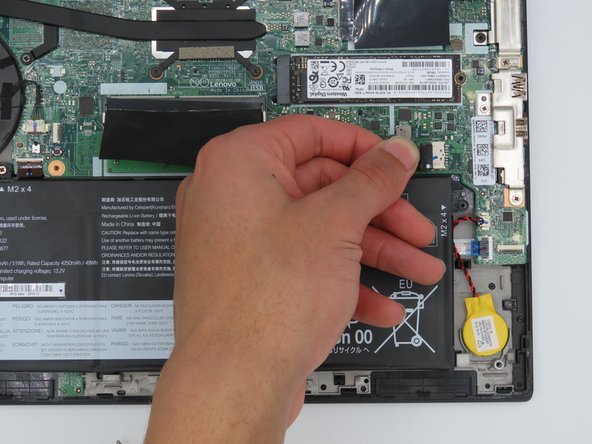
- Locate the battery socket connector parallel to the motherboard.
- Slide the battery socket connector out of its socket on the motherboard.
- Unplug the connector from the socket on the motherboard.
- Pry the coin cell battery off of the motherboard.
- Insert new coin cell battery.