HP 15-dy2024nr I/O Board Replacement
ID: 170657
Description: An I/O board is the connector between the...
Steps:
- Use a spudger to peel one corner of each of the rubber feet from the bottom of the laptop.
- Gently peel the feet from the laptop using the spudger revealing the screws underneath.
- If the rubber foot peels away but leaves adhesive behind you must peel the adhesive away before removing the screws.
- Use a Phillips #1 screwdriver to remove:
- Two 2.5mm x 6mm screws
- Six 2mm x 6mm screws
- Be sure to keep different screw sizes separated.
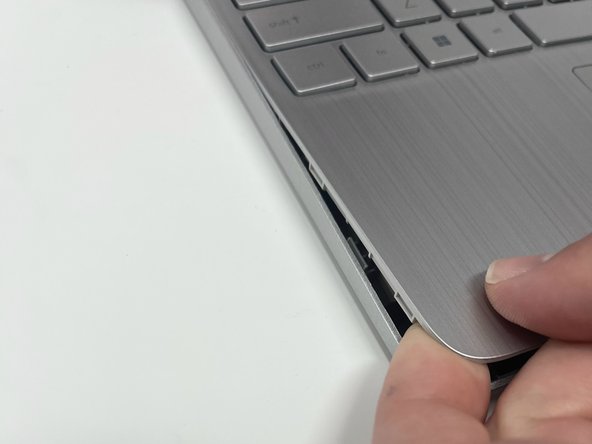
- Insert an iFixit opening tool into the seam between the keyboard area and bottom cover.
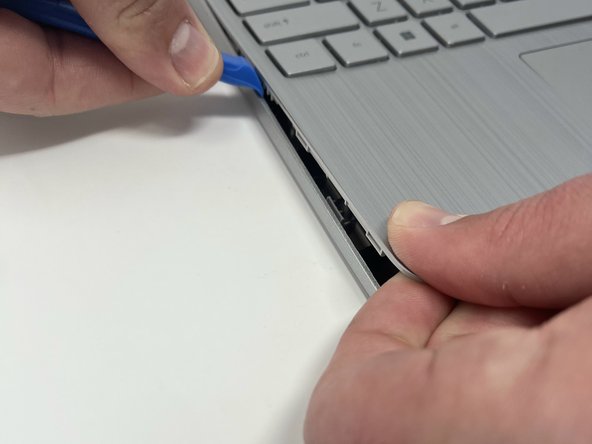
- Using another iFixit opening tool, slide along the seam to unhook the clips.
- There are clips all the way around the seam. You may hear a popping sound as the clips come loose. This step may require some force to separate the back cover from the laptop.
- When the front of the laptop is open, you can use your finger to hold a corner open then slide an iFixit opening tool along the seam toward the back corner.
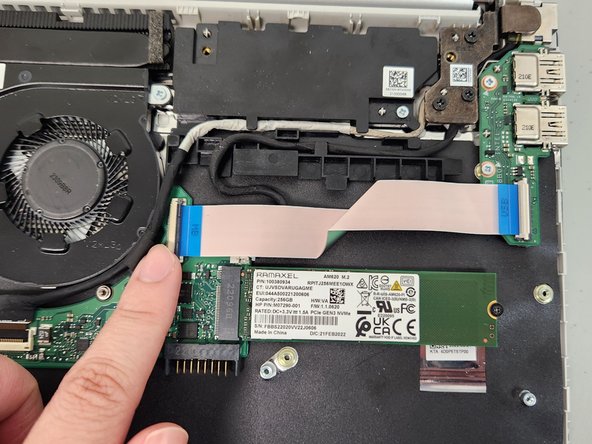
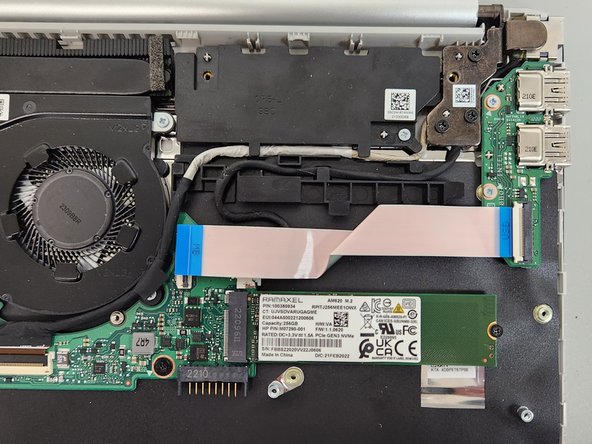
- After the clips have been released, flip the laptop over and lift the cover.
- Flip up the black plastic tab holding the USB power connector to the motherboard using your hands.
- Pull the USB cable away from the motherboard.
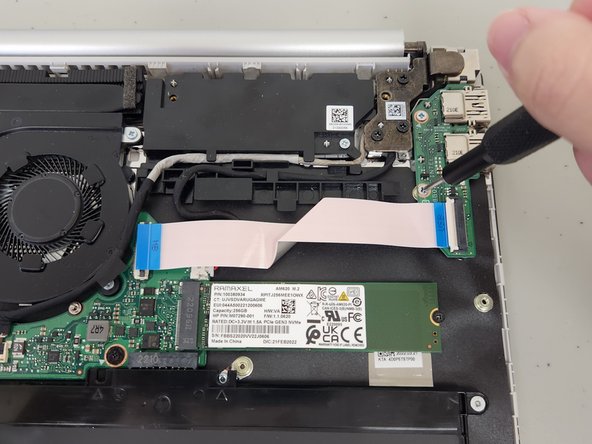
- Remove the two 2.0 mm screws using a Phillips #1 screwdriver.
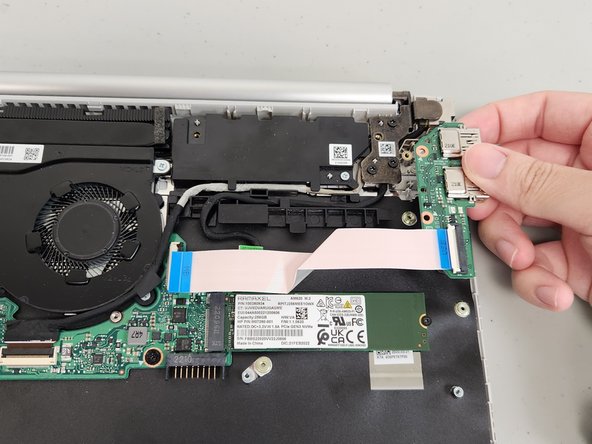
- Lift the I/O board up then away from the laptop.