Samsung Galaxy A20 Motherboard Replacement
ID: 171818
Description: Replacing the motherboard of your Samsung...
Steps:
- Unplug and power off the device before beginning.
- Remove the SIM card and the SIM card tray.
- Use an iOpener or heat gun to warm the adhesive that secures the back cover.
- Insert an opening pick in the seam between the back cover and chassis while the adhesive is warm.
- Slide the pick around the entire perimeter.
- If you encounter notable resistance, reheat the adhesive. Do not attempt to sever cold adhesive.
- Remove the back cover.
- Remove all thirteen 3.6 mm Phillips screws that secure the midframe.
- Use an opening pick to lift out the midframe.
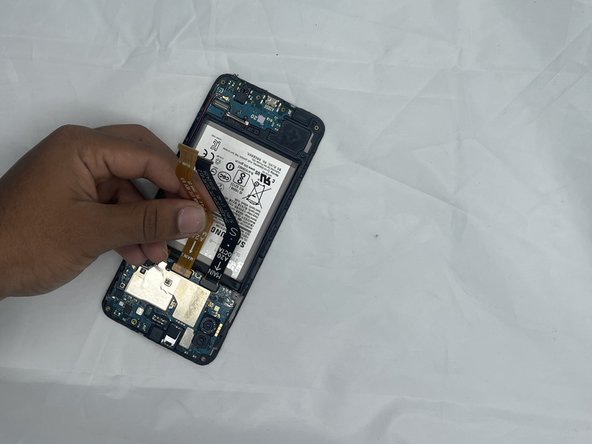
- Use an opening tool to gently pry up the two motherboard press connectors.
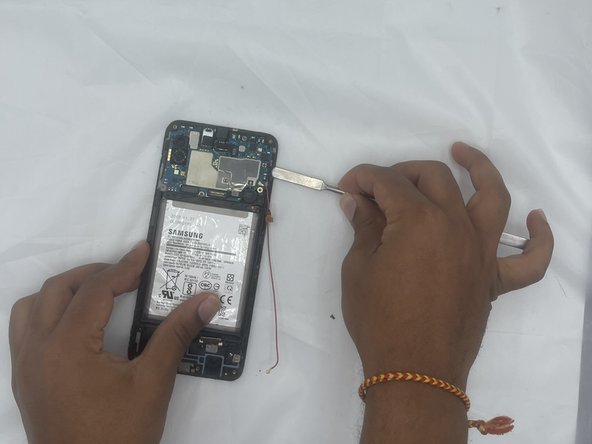
- Unscrew the single 3.6 mm Phillips screw that secures the motherboard.
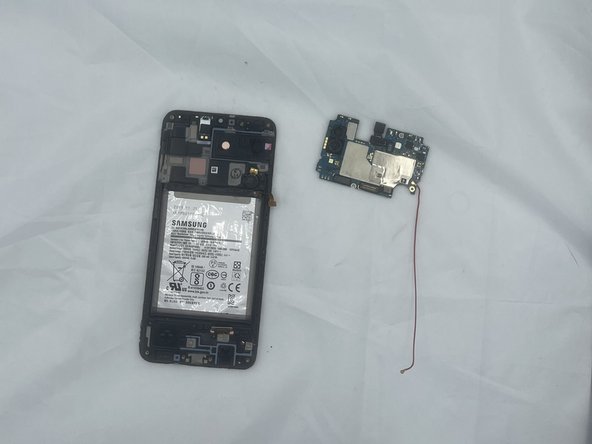
- Use an opening pick to pry up the motherboard.
- Remove the motherboard.