PDP Rematch Joystick Cover Replacement
ID: 171889
Description: The Joystick is an essential part of the PDP...
Steps:
- Grip one side of the controller firmly.
- Insert an opening pick into the crease between the faceplate and the body of the controller.
- Once the pick creates a gap in the crease, gently insert another pick into a different section of the crease.
- Carefully move the picks along the controller's crease line until you hear a popping sound.
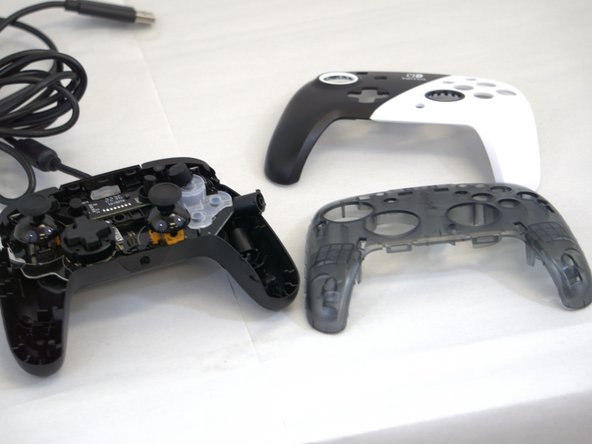
- Gently lift off the faceplate by hand.
- Remove the 8 mm screws from the hard cover using a JIS #00 screwdriver.
- Since the screws have been removed, avoid shaking or moving your controller too much to prevent other buttons from falling out.
- Gently lift off the hard cover with your hand; it should not need much force.
- The action buttons and silicone pad are loose and may fall out of the controller.
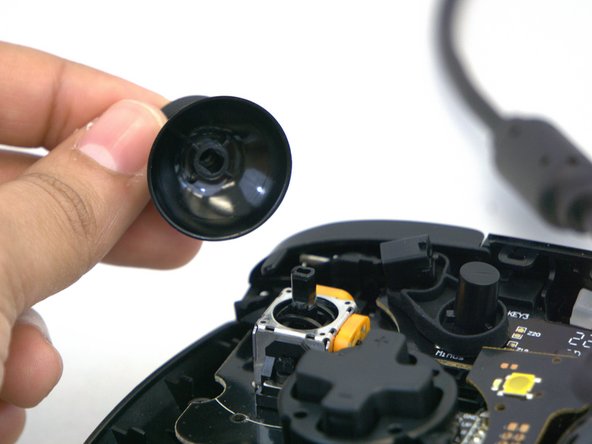
- Gently rotate or twist the joystick(s) you want to replace.
- Apply some force and pull upward towards you.
- You will know it is released when you hear a popping sound.
- Place your new joystick and push it downwards; you will hear a popping sound again.