Turtle Beach Recon 70P Speakers Replacement
ID: 171942
Description: The speakers on your headset ensure that you...
Steps:
- Before continuing, remove the ear pad(s) from the nonfunctional speaker(s) following the earpad replacement guide.
- Use a spudger to pry up and remove the black plastic cover.
- Use flush cutters to cut the wires as close to the speaker connections as possible.
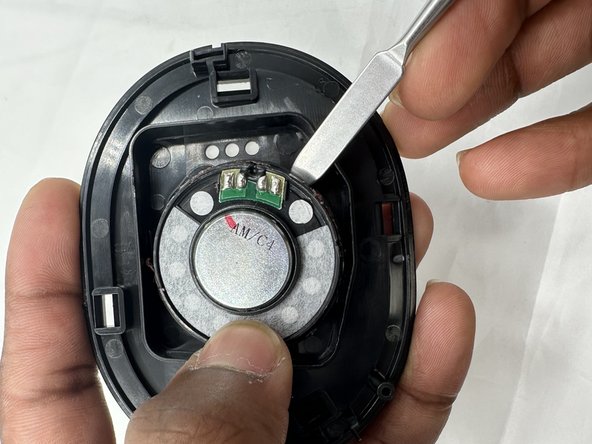
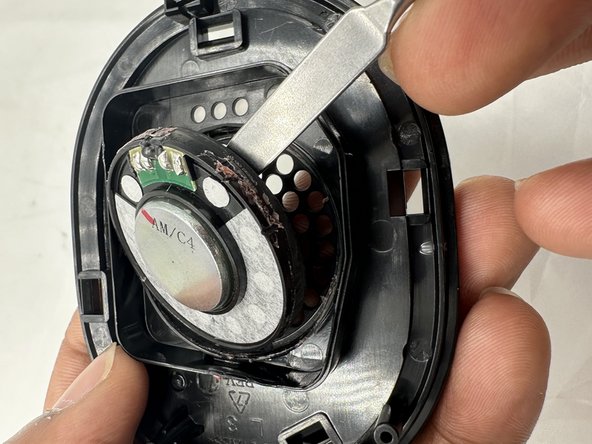
- Use a spudger to pry the speaker out of its housing.
- The speaker is attached to the housing with adhesive, so moderate force may be necessary to pry it out of place..
- Insert the new speaker into the plastic housing, sealing it in place with glue or tape.
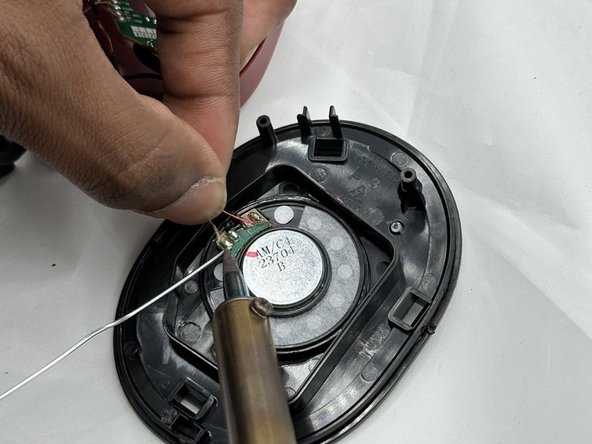
- Solder the wires in the order they were previously found.