Turtle Beach Recon 70P Talkback Cable Replacement
ID: 171943
Description: The talkback cable connects to your device in...
Steps:
- Remove the left ear pad by following the steps from the ear pad replacement guide. earpad replacement guide.
- Use a spudger to pry up and remove the black plastic cover.
- Use a Phillips screwdriver to remove the two 5 mm screws that secure the motherboard.
- Cut the talkback cable below where it enters the speaker housing.
- Remove the cut section of the talkback cable.
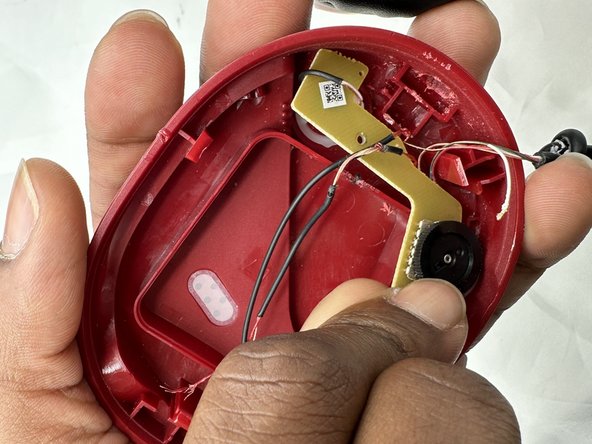
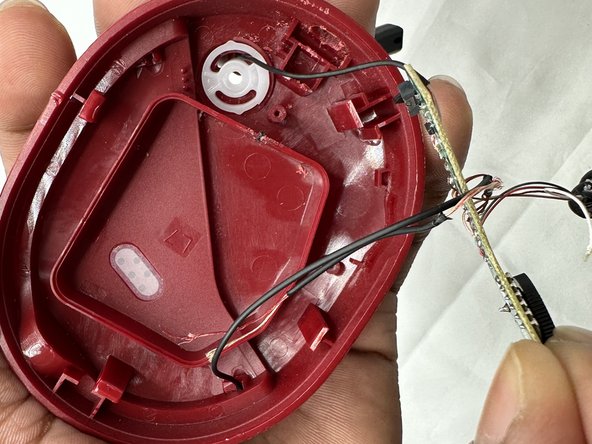
- You may need to move the speaker wire out of site so it will not block the motherboard.
- Lift the motherboard up and out of the housing.
- Take care not to strain the wires.
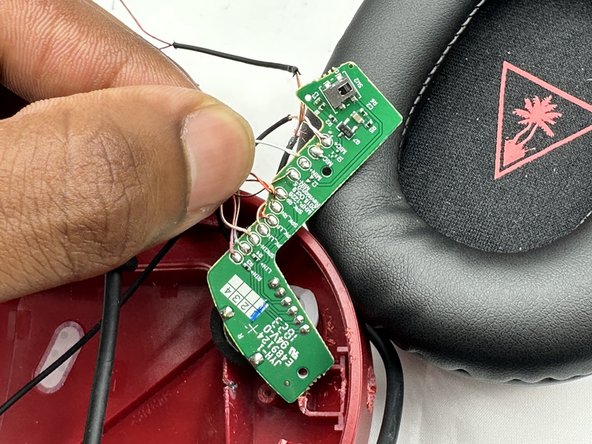
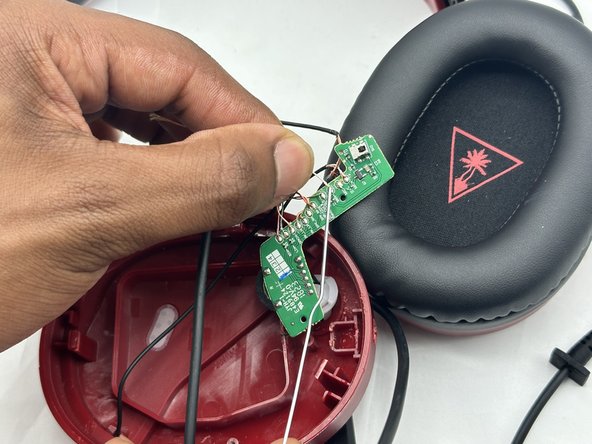
- Desolder all of the talkback cable motherboard connections.
- Feed the replacement talkback cable through the housing, then solder every wire onto the motherboard's connection points in the order they were initially found.
- The purpose of each wire is designated in small text on the motherboard.