Turtle Beach Recon 70P Motherboard Replacement
ID: 171945
Description: The motherboard is the central component of...
Steps:
- Remove the left ear pad by following the steps from the ear pad replacement guide.
- Use a spudger to pry up and remove the black plastic cover.
- Use a Phillips screwdriver to remove the two 5 mm screws that secure the motherboard.
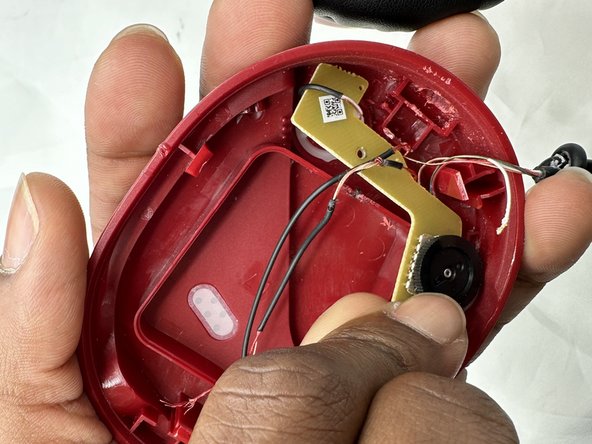
- You may need to move the speaker so it does not block the path of the motherboard.
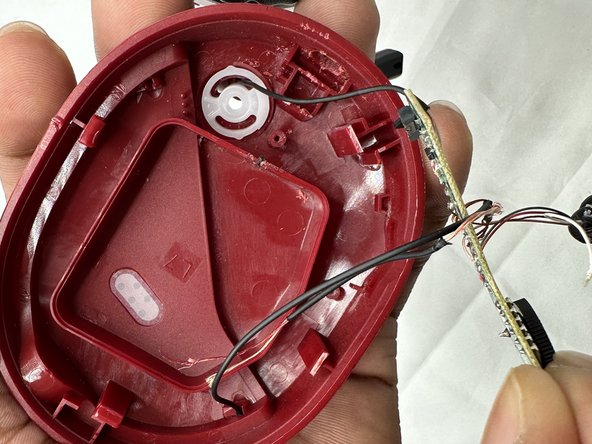
- Remove the motherboard from the headset by up and away from the volume wheel.
- Take care not to strain the connections.
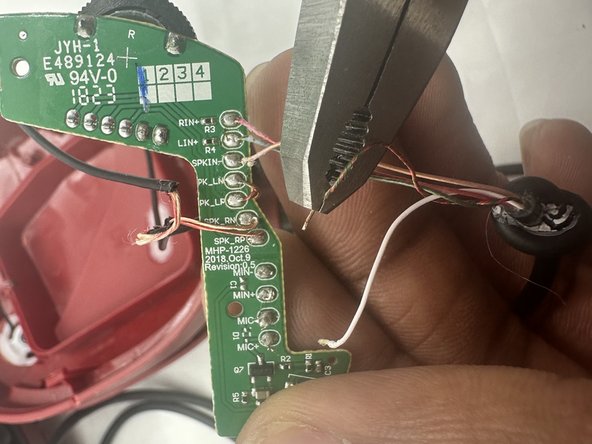
- Before replacing the motherboard, use flush cutters to cut each wire connected to the motherboard.
- Cut the wires as close as possible to their connections.
- Take note of how each component connects to the motherboard.
- Prepare your replacement motherboard before continuing.
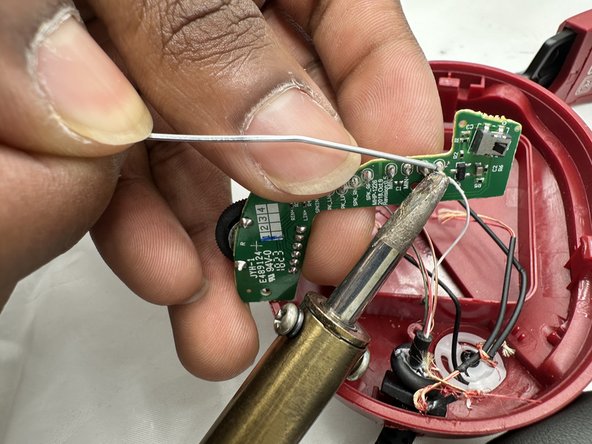
- Solder each wire of the new motherboard in the same spots they were originally found.
- Soldering irons can cause burns, fires and device damage. Always solder in a well-ventilated area.