Flashforge Finder 2 Fan Cleaning or Replacement
ID: 176285
Description: Fan cleaning is part of the preventive...
Steps:
- Shut down the back switch and disconnect the printer power supply
- If used recently wait for the extruder to cool down
- Remove the three screws on the extruder top with a 2.5 Allen key or an appropriate screwdriver bit
- Gently lift up the extruder cover
- Pay attention to the flat cable while lifting the cover
- Using a spudger, disconnect the fan connector
- Route the cable to free it
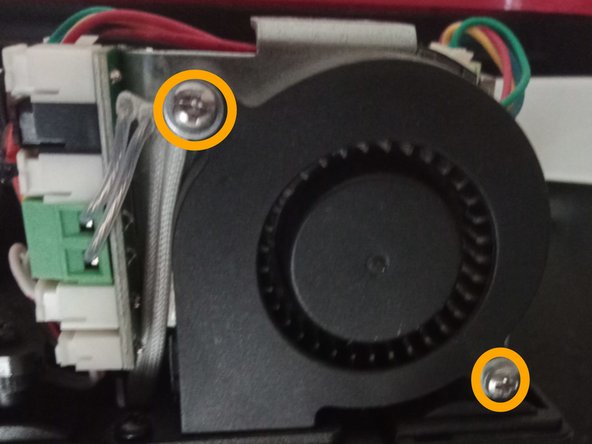
- Remove the two Phillips screw holding the fan
- The fan can now be removed from the extruder. If you need to replace it, just follow the steps in reverse order with the new fan
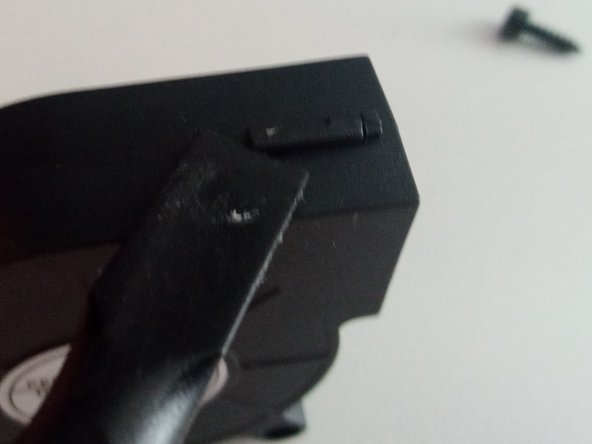
- If you are cleaning the fan, release the three clips holding it together with a spudger
- Using compressed air and a brush, clean the fan from dust and debris