Lenovo Flex 2-15 Speaker Replacement
ID: 179082
Description: This guide helps you replace the Lenovo Flex...
Steps:
- Begin by taking the back plate off of your device. Using a Phillips head screw driver, take out the highlighted screws for your device.
- Remove battery from the motherboard by unplugging the cord and removing the screws.
- Once you have the battery removed, locate the cable for your new battery and connect it on the same port from your old battery. Secure it onto the laptop by using the screws. After this step is complete, complete step 1 in reverse order to secure the plate cover over your motherboard.
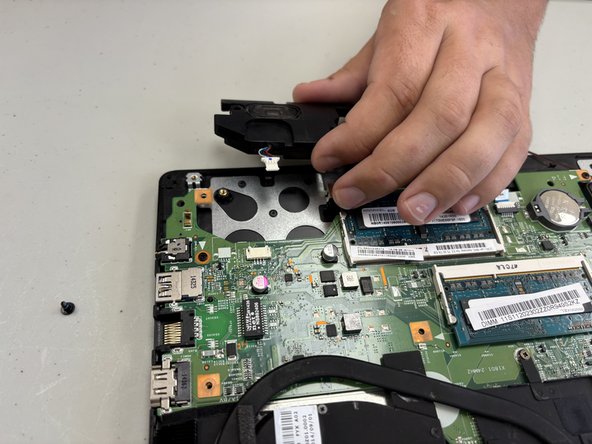
- Use a Phillips #00 screwdriver to remove the one 4 mm screw on the left speaker.
- Use a Phillips #00 screwdriver to disconnect the one 4 mm screw on the right speaker.
- Disconnect the speaker the connector on the right speaker from the motherboard by pulling the connector out with your fingernail.
- Gently lift the two speakers out with your hands.