Lenovo ThinkPad L590 Fan and Heatsink Assembly Replacement
ID: 179201
Description: If your Lenovo L590 laptop is overheating,...
Steps:
- Shut down your ThinkPad L590 before beginning; do not put it to sleep or hibernate. Disconnect the AC adapter and any peripheral devices (USB drives, external monitors, etc.).
- Set the computer down with the lower case facing up.
- Use a Phillips screwdriver to remove the following screws securing the lower case:
- Six 10 mm screws
- Three 5.5 mm screws
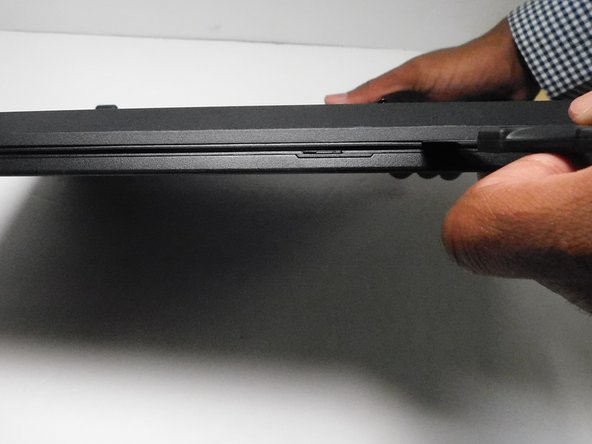
- Insert an opening pick into the gap between the lower case and chassis.
- Gently pry around the entire perimeter of the laptop until all of the retaining clips fully release.
- Lift off the lower case.
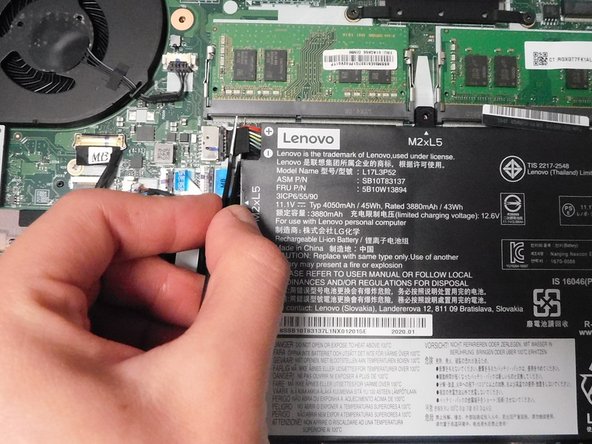
- Use tweezers to grip the battery connector and pull it directly out of its motherboard socket.
- Remove the four 5.5 mm Phillips screws that secure the heatsink.
- Use an opening tool or your fingernails to gently "walk" the fan connector out of its motherboard socket.
- Gently lift the fan out of its compartment.
- If the fan is stuck, use a nylon spudger to carefully pry it loose.