Duco Box Silent - Replace motor bearings
ID: 180553
Description: If the Duco box starts making more and more...
Steps:
- Disassemble the fan. Use the Duco instruction video:
- https://www.youtube.com/watch?v=p0Lwz_HI...
- Unscrew the four Torx T20 screws
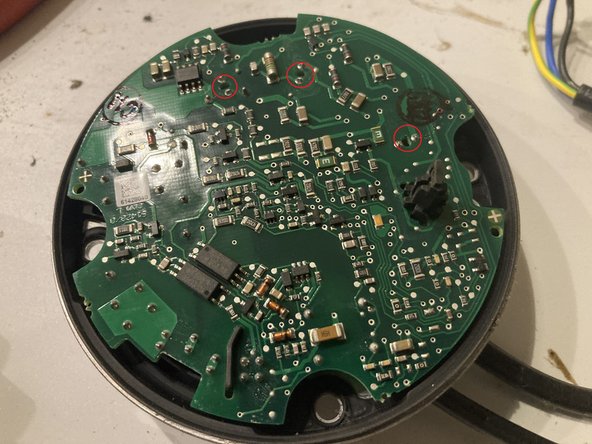
- The cover contains the control electronics that are plugged into the motor.
- Lift the lid straight up.
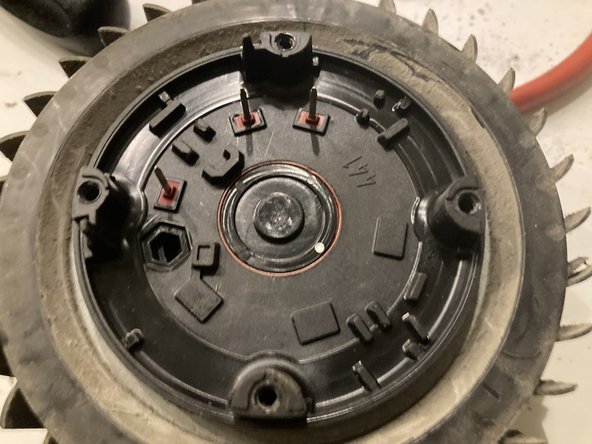
- When closing: Position the cover so that the motor's contact pins fit into the holes in the printed circuit board. The plastic pin on the cover fits into the opening in the motor.
- Using a pick or a small screwdriver, pry the cover off the motor shaft.
- Remove the retaining clip from the motor shaft without damaging it
- Pull the fan including the motor shaft out of the motor housing
- Remove the bearings by pushing them out from the inside
- Preferably use a blunt object, such as a large torx screwdriver.
- Install the new bearings
- Push it through until it stops.
- Close the engine by following all steps in reverse order