Lenovo Flex 3-1580 Cooling Fan Replacement
ID: 182078
Description: If your Lenovo Flex 3-1580 is overheating very...
Steps:
- Remove eleven 6.0 mm screws from the bottom cover using a JIS #1 screwdriver.
- Loosen the backing cover by sliding a spudger along the edges.
- You’ll hear and feel a pop as you loosen the edges. This lets you know the backing is loosening up.
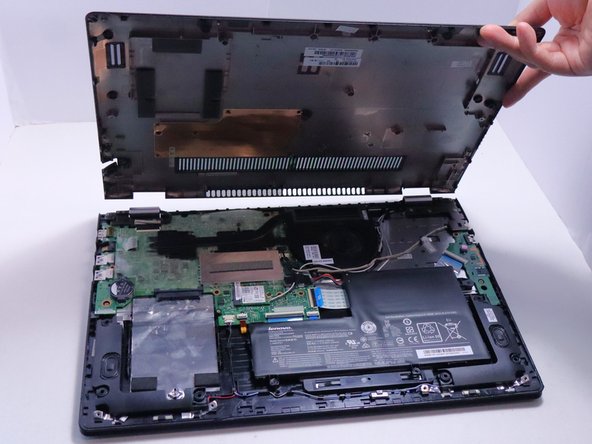
- Remove the bottom cover from the laptop.
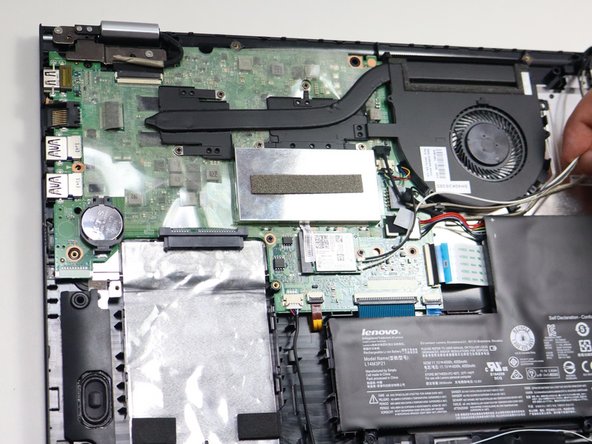
- Loosen the five 6.0 mm screws with a JIS #1 screwdriver.
- Release the cables from the guides.
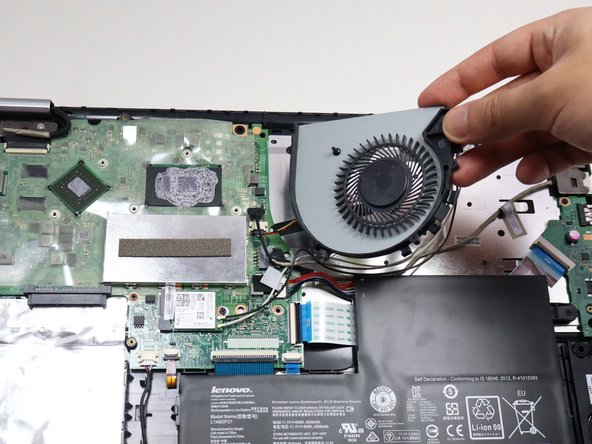
- Remove the fan and heat sink by lifting upwards.
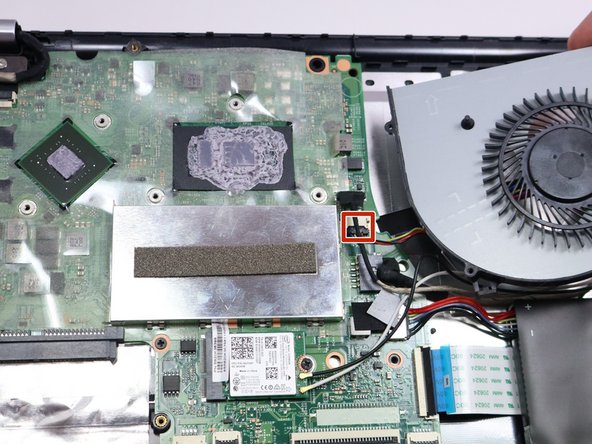
- Unplug the fan connector pulling downwards.
- Before installing a new fan, apply a pea-sized amount of thermal paste the the CPU.
- When reinstalling, make sure the cables are not subjected to any tension. The tension can cause the cables to be damaged by the cable guides.