iPhone 16e Earpiece Speaker Removal
ID: 185011
Description:
Steps:
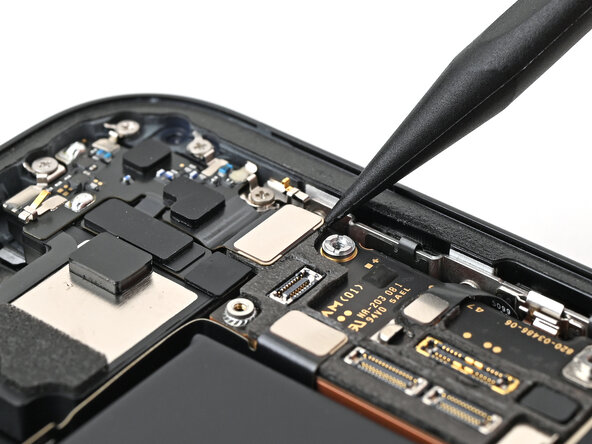
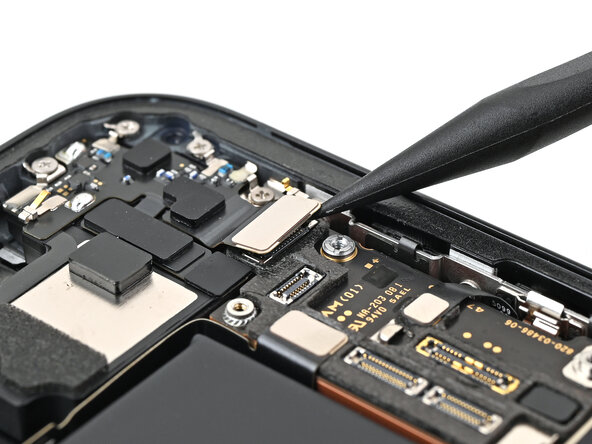
- Use the tip of a spudger to pry up and disconnect the earpiece speaker press connector.
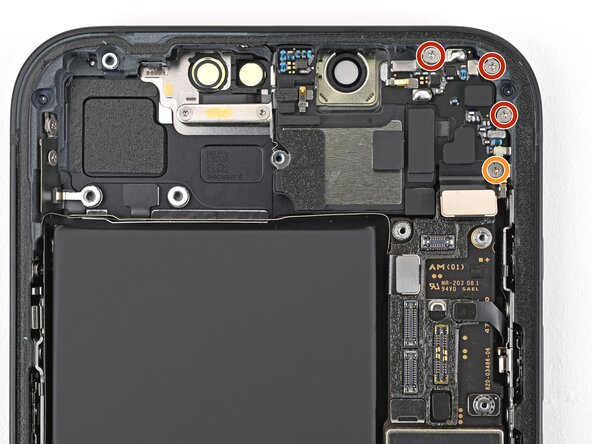
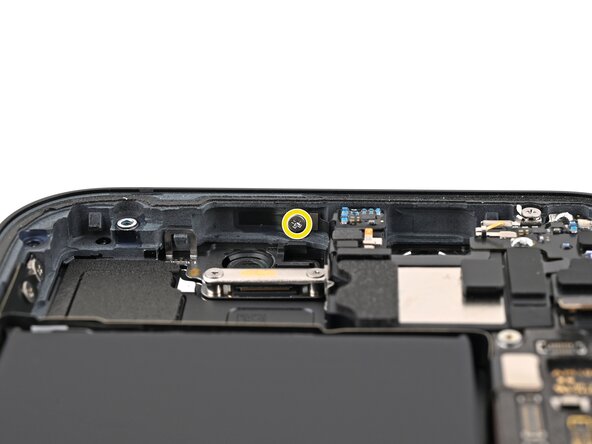
- Use a Phillips screwdriver to remove the five screws securing the earpiece speaker:
- Three 1.5 mm‑long screws
- One 1.6 mm‑long screw
- One 1.1 mm‑long screw on the inner wall of the frame, above the front camera cutout
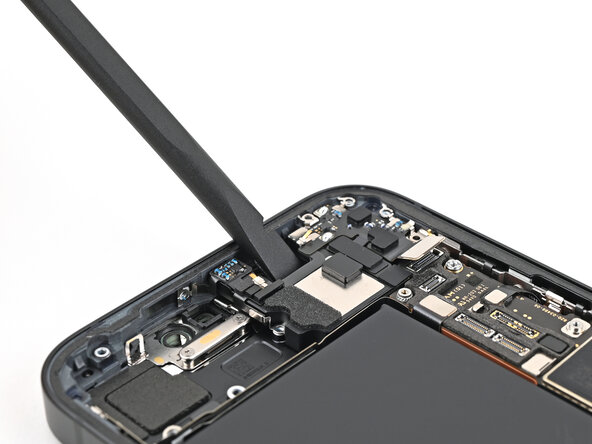
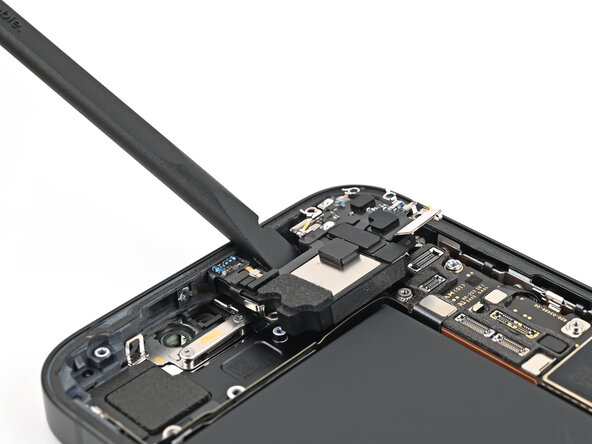
- Insert the flat end of a spudger into the front camera recess between the earpiece speaker and the frame.
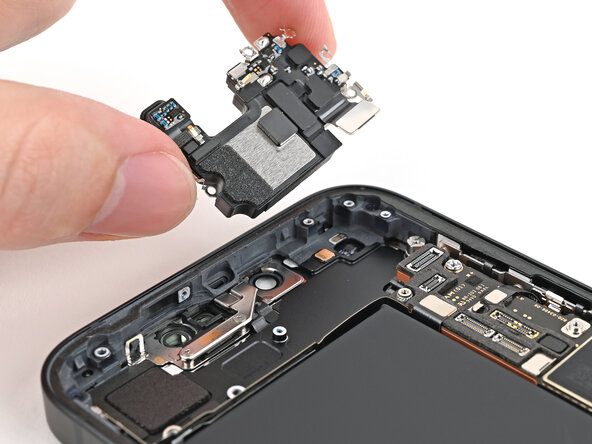
- Pry up the earpiece speaker and remove it.