Anker Soundcore Space One Driver Replacement
ID: 185333
Description: Are you experiencing noise distortion and...
Steps:
- Flip over the device so the ear pads face up.
- This replacement guide will only cover one of the ear pads. The same exact steps apply to both.
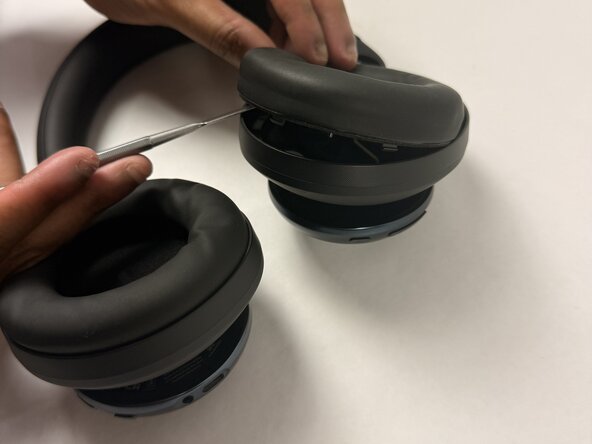
- Insert a spudger (plastic or metal) between the ear pad and the driver housing (the driver housing is the outside plastic part of ear cup).
- Using a metal spudger (like the one pictured) can cut you if not used correctly. Please be mindful of where you insert it if you choose to use one.
- Pry around the ear pad in a circular path until it fully releases.
- Remove the ear pad from the driver housing.
- The gray foam component shown is an additional protective component of the ear pad. You can remove it with your hands if needed, without any tools.
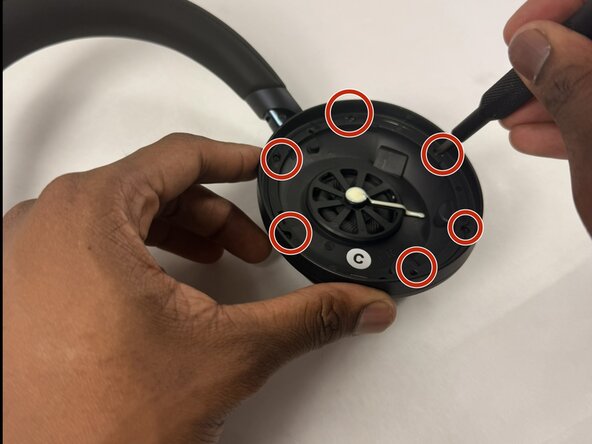
- Position the inside of the driver housing facing up (without the ear pad).
- Unscrew the six 6.1 mm Phillips #00 screws from the driver housing.
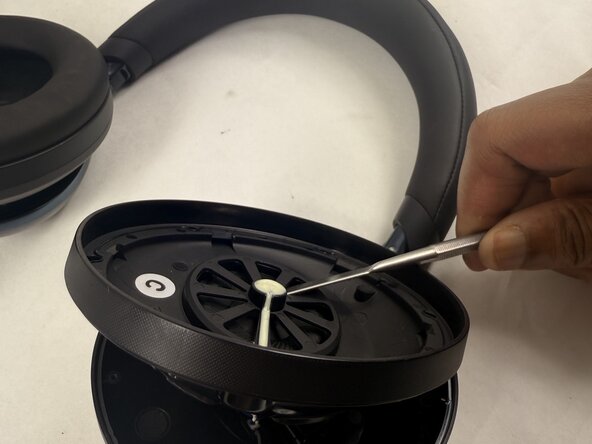
- Pry around the interior plate of the driver housing with a spudger.
- Carefully lift out the interior plate of the driver housing with a spudger to fully remove it.
- This component has wires still connected to it, so don't be too aggressive when popping it off.
- Flip the popped-off plate component away from the ear cup.
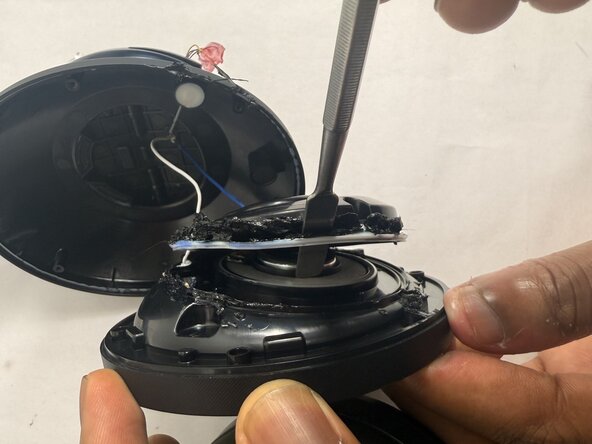
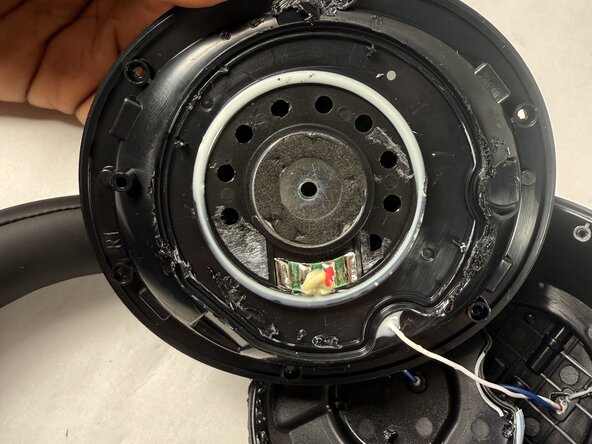
- Use a soldering iron in a circular path along with the seam of the glue (white lining) to separate the two components that are glued together.
- The soldering iron is extremely hot and could burn the user if used incorrectly. Please proceed with caution.
- Pop off this component once it has detached from the glue (a spudger may be needed for this).
- Pry the white adhesive layer around the driver component off with a spudger.
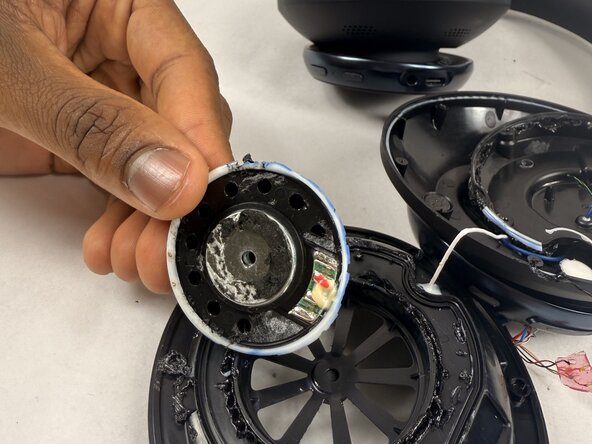
- The actual driver is the metal disc in the center. The entire driver component includes everything inside the white lining (pictured in the second image).
- Insert a Phillips #00 screwdriver into the hole in the metal center of the actual driver.
- Pop off the driver component.
- You will have to replace the entire driver component pictured, since there's no given way to retrieve the actual driver. If you attempt to replace just the actual driver, it could risk damaging interior components.