Asus ROG G20CB Fan Replacement
ID: 185342
Description: This guide will walk you through replacing the...
Steps:
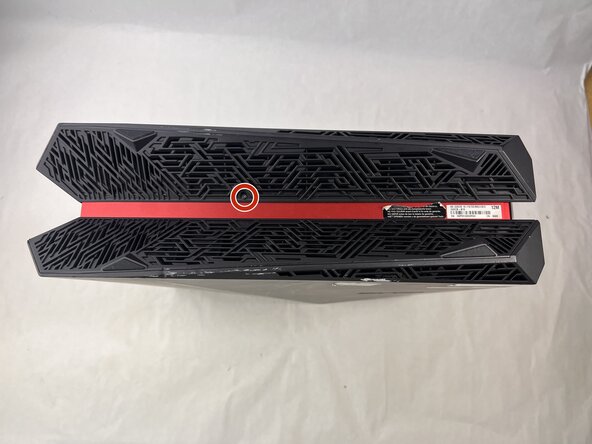
- Remove each of the two 4.6 mm Phillips screws on the top and bottom of the tower.
- Slide the front panel to the left and lift gently.
- There is a cable connecting the panel to the computer. Handle it gently and avoid straining the connected panel.
- Disconnect the cable carefully by pulling gently on both sides of the connector.
- Remove the five 4.6 mm Phillips screws holding down the fan tray and then pull the fan tray out of the system.
- The fans are connected by a thin cable, be gentle when removing tray.
- Carefully unplug the two fan cables from the motherboard by pulling straight up from the base of the connector.
- Remove the six 4.6 mm Phillips screws connecting the fans to the fan tray.