Lorex LHV210800 Fan Replacement
ID: 185361
Description: If your DVR is running louder than usual or...
Steps:
- Before beginning, disconnect the DVR from power and unplug all peripheries.
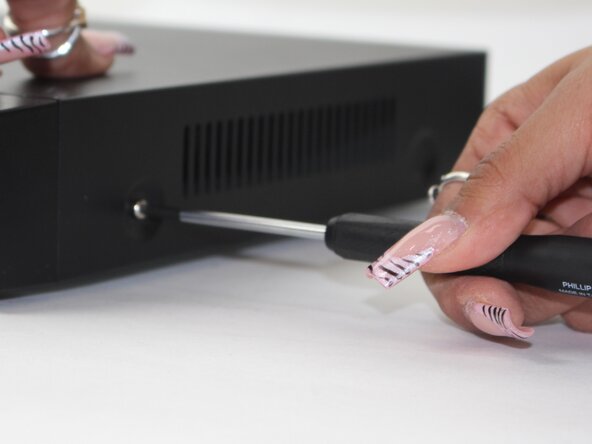
- Remove each of the two 1 cm screws on the right and left sides of the DVR with a Phillips screwdriver.
- Remove the four 1 cm Phillips screws on the rear panel.
- Do not unscrew the screw connected to the lower case.
- Lift up and remove the top cover.
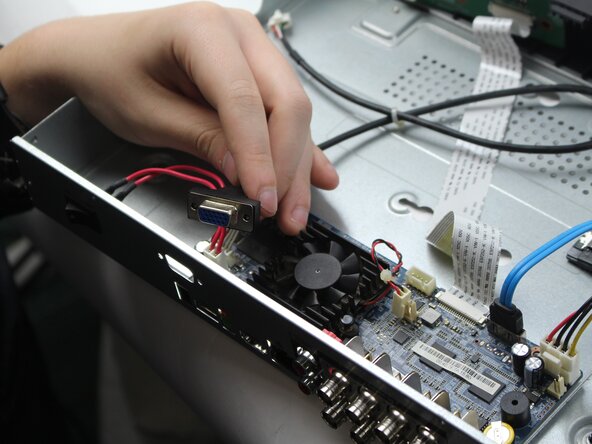
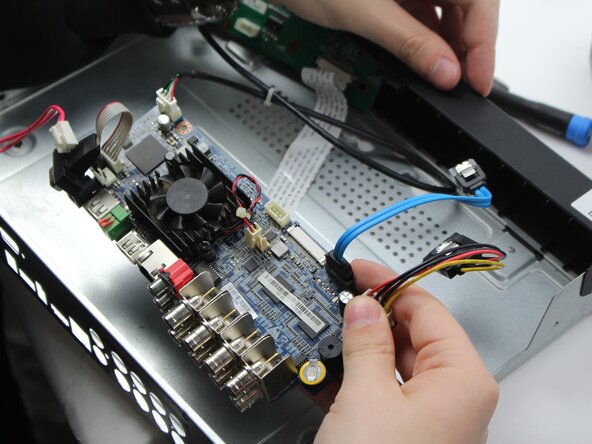
- Unplug the red and white power cord from the socket.
- Unplug the back panel power source.
- Remove two of the 1 cm screws.
- Remove the back panel where the fan is located.
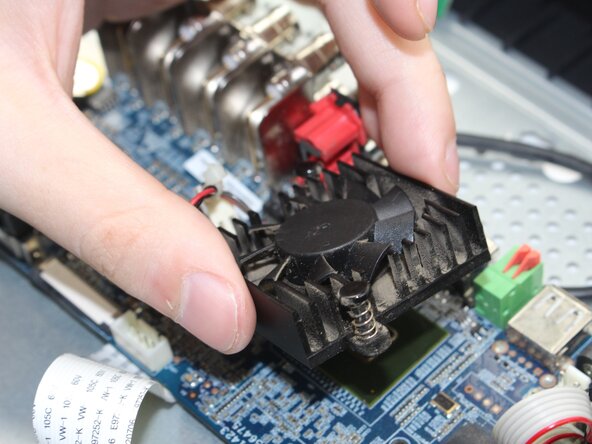
- Turn the panel around, and locate these two black studs connecting the fan and the panel together.
- Once you are able to get those loose using the pliers, the fan should pop out, making it easier to switch out the fan and check it for issues.