Bose Ae2w Speaker Mesh Replacement
ID: 186165
Description: The speaker mesh on the Bose AE2w headphones...
Steps:
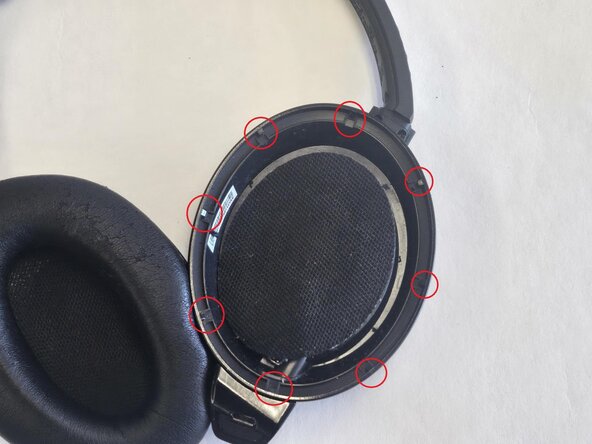
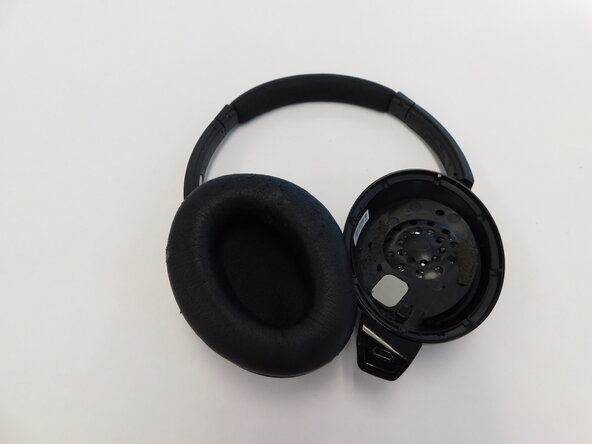
- Carefully pull the cushions away from the sides of the headphones, sliding the cushions out from under the notches.
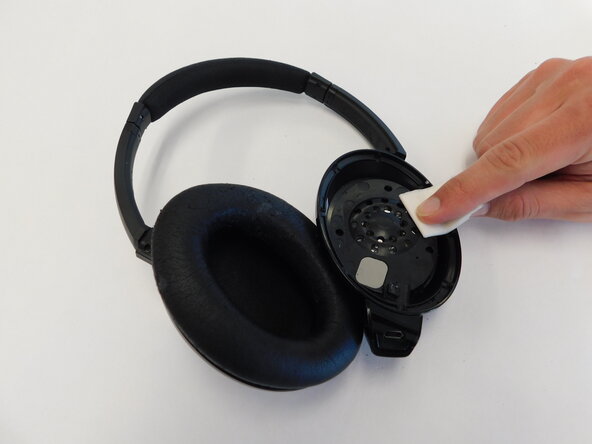
- Carefully wipe the inside of the earpiece clean. This can be done with a moistened cotton swab or alcohol wipes.
- Using a spudger or tweezers, carefully lift the speaker mesh from around the edge.
- The mesh is typically glued down, go slowly to avoid tearing or damaging the speaker beneath.
- Cut your new mesh slightly larger than the opening so it can be anchored around the edges.
- Scrape off any gunk or adhesive left over on the ear cups.
- Use a moist cotton swab or alcohol wipe to ensure the surface is completely cleaned and ready for new adhesive.
- Use a thin layer of fabric glue or double-sided tape around the perimeter of the speaker housing.
- Gently place the new mesh over the speaker opening, pressing it down onto the adhesive.
- Wait for adhesive to dry if applicable.