JBL Go 4 Battery Replacement
ID: 186205
Description: In this Replacement Guide, you will find the...
Steps:
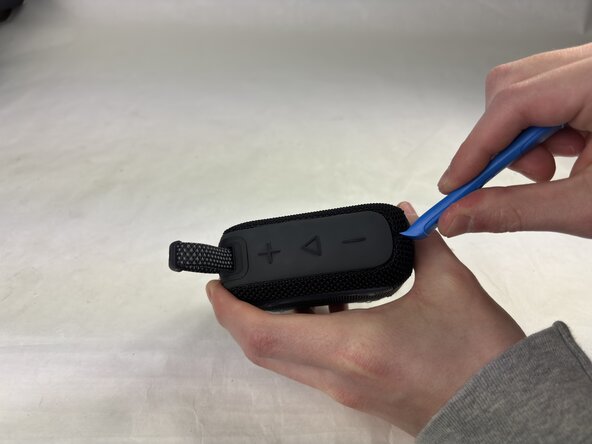
- Insert an opening tool into the seam in between the grille and chassis, in the top corner opposite the strap.
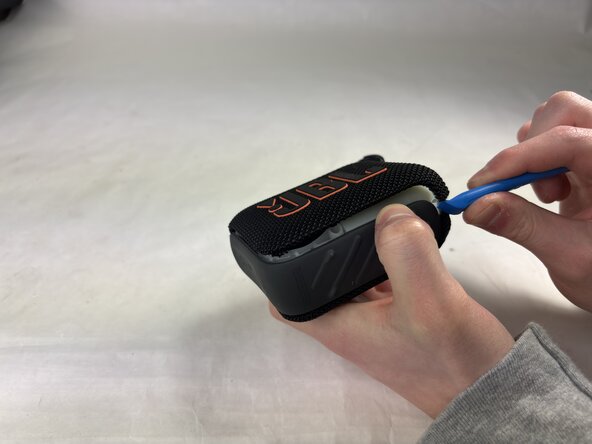
- Slide the tool along the edge of the housing until the grille releases.
- Remove the grille.
- Be sure that the battery has been drained completely before attempting this replacement.
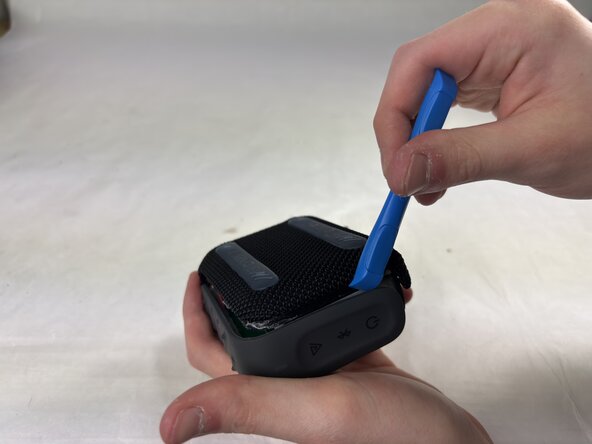
- Insert an opening tool in the opposite corner, lifting carefully.
- Slide the tool along the edge until the cover pops off.
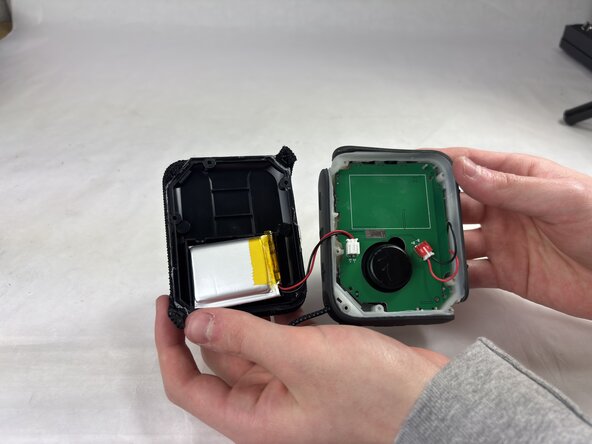
- Gently pull the housing up and to the side.
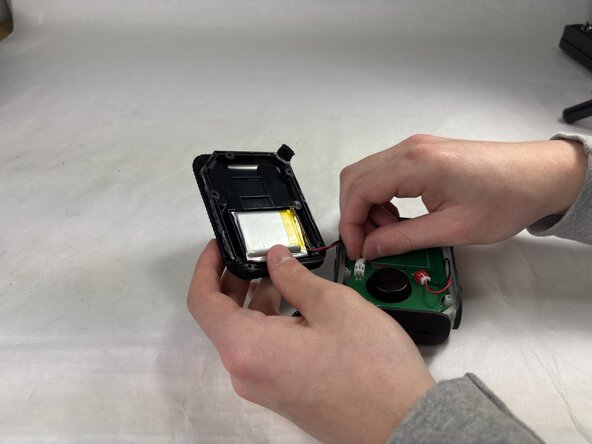
- When the plate becomes loose, be incredibly gentle to avoid damaging the cable that connects the battery to the housing.
- Find the connection between the motherboard and the battery cable as labeled.
- Gently depress the plastic tabs and slowly wiggle the connector until it comes free.
- Be incredibly gentle with this connector as any excessive force can damage the motherboard.
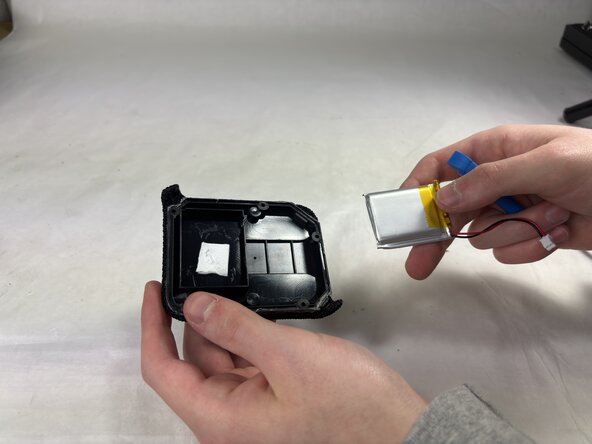
- Insert an opening tool beneath the battery, on the side opposite to the battery cable.
- Using a lever motion, pry the battery out slowly, sliding it further under to break the adhesive up.
- It's important to note that the battery is held on with a small adhesive pad, so more force than should feel necessary will be needed.