(New) iPhone 15 Earpiece Speaker Installation
ID: 191776
Description:
Steps:
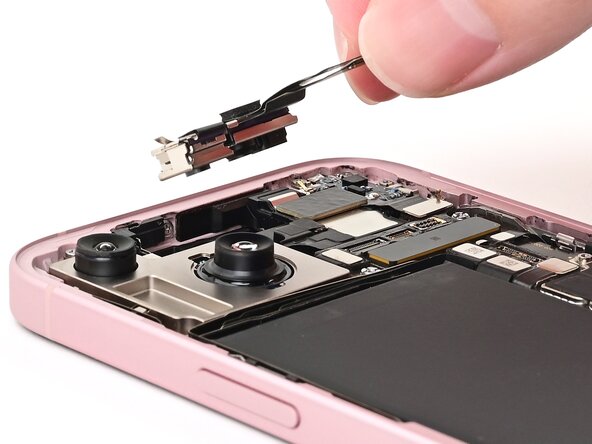
- The earpiece speaker has an adhered antenna that must be transferred to the new speaker.
- Insert an opening pick between the antenna and the earpiece speaker.
- Slide the pick under the antenna and pry up to separate the adhesive securing it.
- Remove the antenna.
- Align the gasket on the earpiece speaker with its sound channel.
- Press the earpiece speaker onto the frame so it lies flat.
- Use a Phillips #000 driver to install the five screws securing the earpiece speaker:
- Two 1.1 mm‑long screws
- Three 1.6 mm‑long screws
- Slide the front camera assembly into its recess in the frame.
- Set the assembly down so it lies flat.
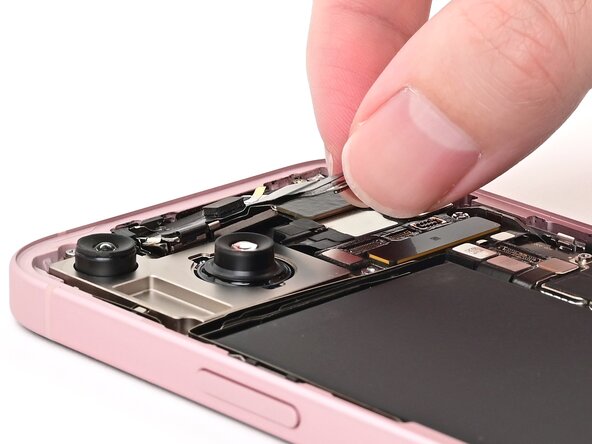
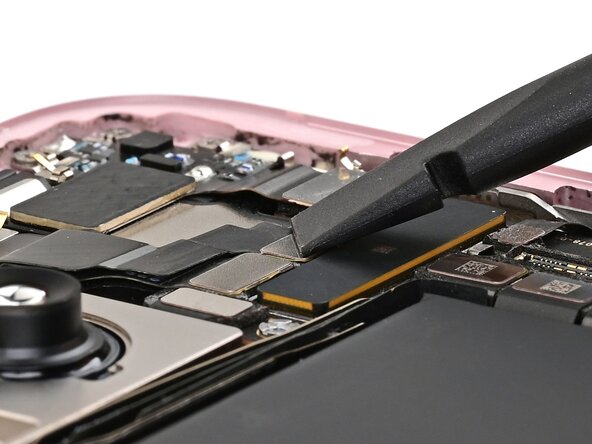
- Use the flat end of a spudger or your finger to connect the front camera and earpiece speaker press connectors.
- The 5G mmWave antenna is only present in United States & Puerto Rico model iPhones (model A2846). If you're repairing another model, skip the next two steps.
- Remove any leftover adhesive from the underside of the antenna.
- Install a small square of thin, double-sided tape onto the underside of the 5G mmWave antenna.
- Use tweezers to remove the adhesive liner.
- Align the 5G mmWave antenna with its connector and spot on the earpiece speaker.
- Use your finger or a spudger to connect the antenna's press connector, then press the antenna itself onto the earpiece speaker to secure it.