(New) iPhone 15 Taptic Engine Installation
ID: 191781
Description:
Steps:
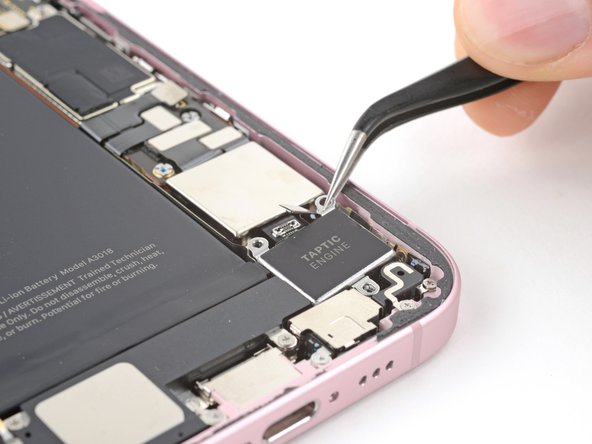
- Place the Taptic Engine into its slot in the frame.
- Use a Phillips #000 driver to install the 1.9 mm‑long screw securing the Taptic Engine.
- Use the flat end of a spudger to connect the Taptic Engine press connector.
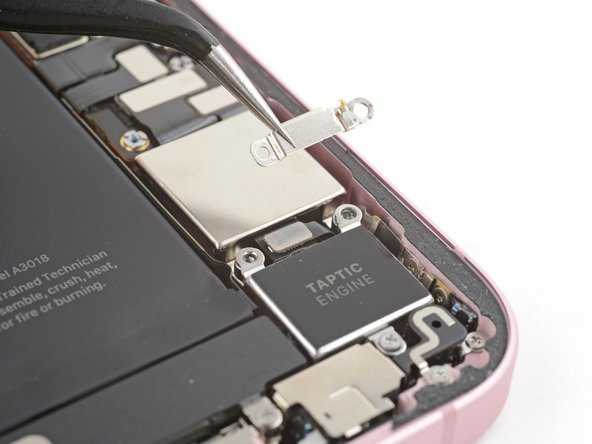
- Place the cover over the Taptic Engine connector.
- Use a Phillips #000 driver to install the two 1.9 mm‑long screws securing the Taptic Engine press connector cover.