Redmi AirDots: Earbud Battery Replacement
ID: 192375
Description: You can replace the batteries in your earbuds...
Steps:
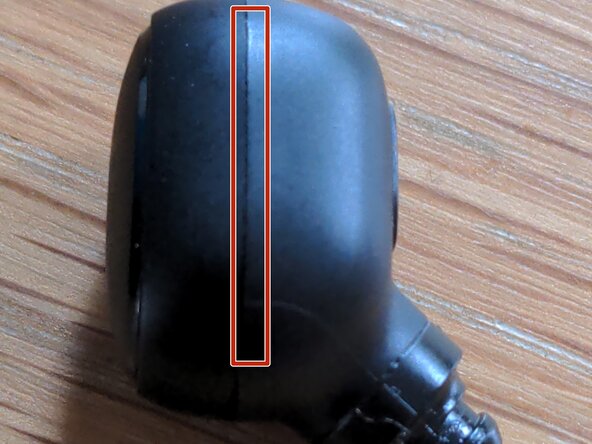
- These earbuds are held together with plastic clips, rather than the glue seen in more expensive models.
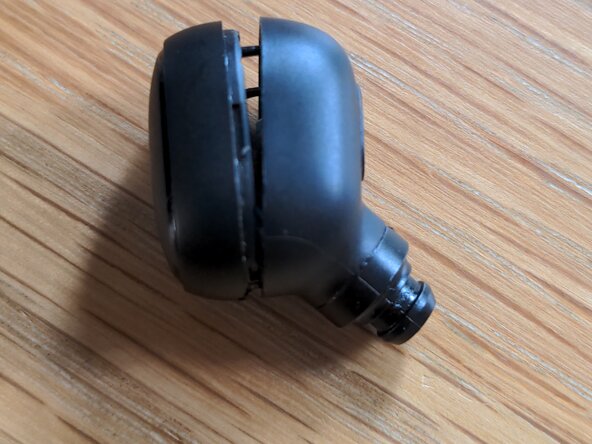
- Insert a sharp knife into the the seam, and carefully work it around the earbud to create a gap.
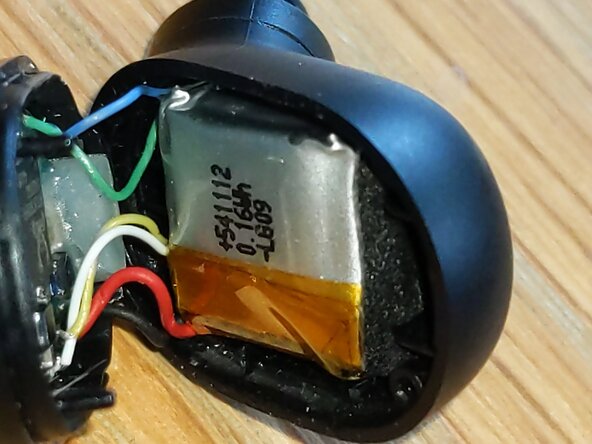
- Carefully separate the two halves, but remember they are still held together by wires.
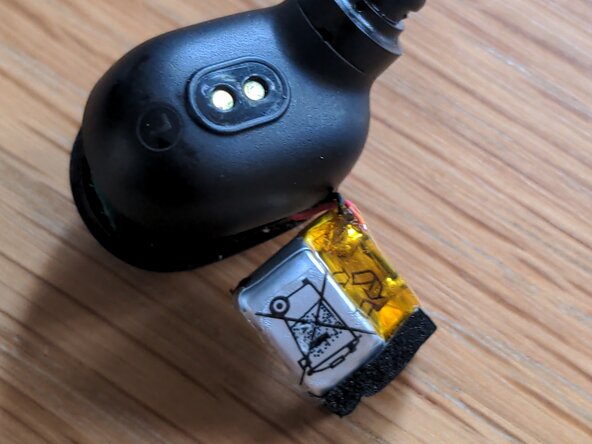
- Pry out the battery and rotate it so that the back faces towards you
- Remove the yellow Kapton tape and black foam pad from the old battery
- The two solder pads on the battery should now be exposed. I don't recommend touching the solder pads on the earbud's circuit board as there is much less space to work with, making it easy to damage.
- Carefully heat up each solder pad and pull away the wire from each one.
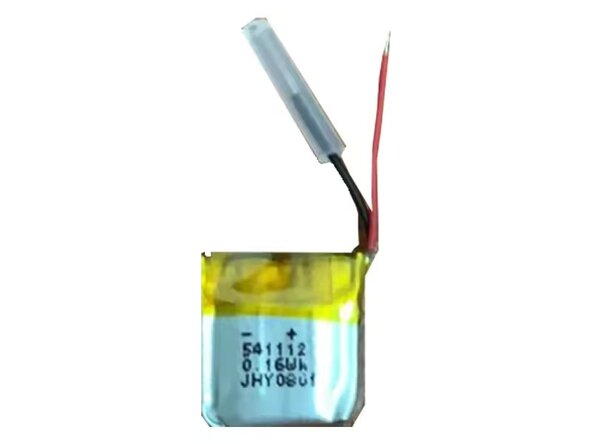
- If your new battery comes with wires, like in the photo, you should remove them like in the previous step.
- Line up the red and black wires with the corresponding + and - terminals on your new battery. There should be marking to indicate which is which.
- Solder the connections. Now try testing the earbud - if it turns on, congratulations! Replace the foam pad and add new Kapton tape if needed.