ASUS Chromebook C204MA Palmrest and Keyboard Assembly Replacement
ID: 199144
Description: This guide is for when any aspect of the...
Steps:
- Close the lid and set the laptop with down the bottom facing up.
- Use a Phillips #0 screwdriver to remove the following screws:
- Six 6 mm-long
- Four 8 mm-long
- Lift and remove the panel.
- Inside the cable panel, remove the four Phillips #0 4 mm-long screws.
- Remove the black battery connector cover.
- Lift the flap securing the keyboard ribbon cable and disconnect the ribbon cable.
- Lift the locking flap securing the trackpad ribbon cable and disconnect the ribbon cable.
- Lift the locking flap securing the ribbon cable then disconnect the cable.
- Lift the locking flap and disconnect the ribbon cable.
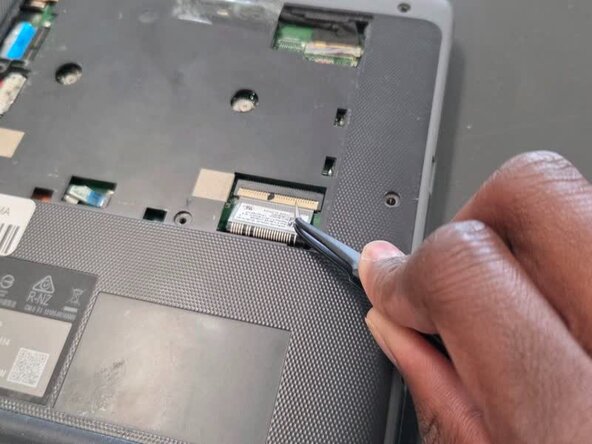
- Use tweezers to lift the orange press connector to disconnect it.
- Lift up the silver hinge securing the battery connector and disconnect the battery connector.
- Lift up the tape covering the display cable.
- Lift the locking bar securing the display cable.
- Disconnect the display cable.
- Remove the black foam piece.
- Disconnect the two coaxial cables.
- Flip over the laptop and open the lid to a full 180 degrees.
- Insert an opening pick into the seam between the palm rest assembly and chassis.
- Slide the opening pick around the perimeter until the palm rest assembly fully releases.
- Flip up the locking flap securing the touchpad ribbon cable.
- Disconnect the ribbon cable.
- Remove the palm rest assembly.