Dell Latitude E5520 Optical Drive Replacement
ID: 199210
Description: In this guide we'll show you how to replace the...
Steps:
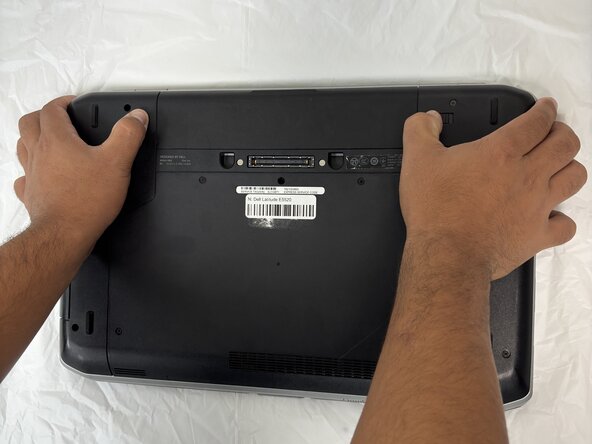
- Flip over the laptop to see the bottom view of the laptop.
- You will find two push clips near the top edge on the bottom side of the laptop.
- Place fingers on each of these clips at the same time.
- Push the two clips outward with pressure at the same time and pull up on the battery.
- The battery will be released to safely remove the part.
- Remove all five Phillips 2.5x5 screws that secure the lower case.
- Remove the lower case.
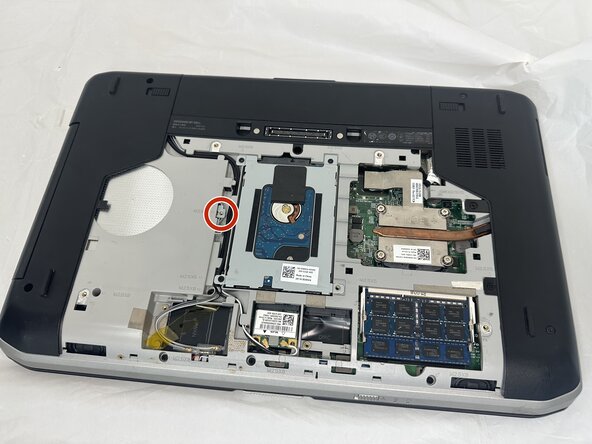
- Unscrew the single M2.5x5 screw with a Phillips screwdriver to release the optical drive.
- Use a sim key tool to poke the red circled hole which will release the disk drive.
- If you don't have a key tool, use a paper clip as an alternative.
- Pull the optical drive out of the laptop.