Motorola Moto G Power 2022 Front Camera Replacement
ID: 199415
Description: Use this guide to replace the front-facing came...
Steps:
- Power off the phone by holding the volume and power buttons simultaneously.
- Insert the end of a paperclip or a SIM card eject tool into the small hole to eject the SIM tray, then remove it.
- Slide an opening pick around the perimeter of the phone to break through and loosen the adhesive holding the outer case in place.
- Use an opening tool to release the clips securing the front and back casing together.
- Don't remove the case yet!
- Heat an iOpener and set it on the fingerprint sensor to loosen the adhesive.
- Heat the iOpener for 30 seconds at a time, and hold it on the phone for 1-2 minutes.
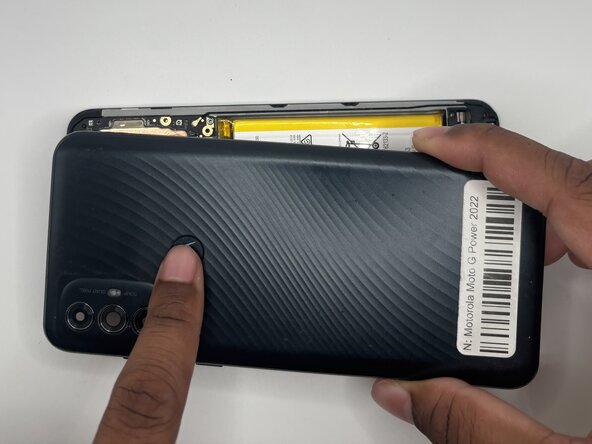
- Press on the Motorola Logo and remove the outer case.
- If the adhesive has loosened, it should pop right off.
- Use a Torx T5 screwdriver to remove nineteen 3.9 mm screws from the midframe.
- Be careful not to lose any of the screws!
- Remove the plastic cover from the motherboard.
- It should come off easily after the screws are removed.
- Use your fingers or tweezers to gently peel off the the adhesive with the front camera.
- It should all come off in one piece.