Google Pixel 10 Pro Back Glass Installation
ID: 199555
Description:
Steps:
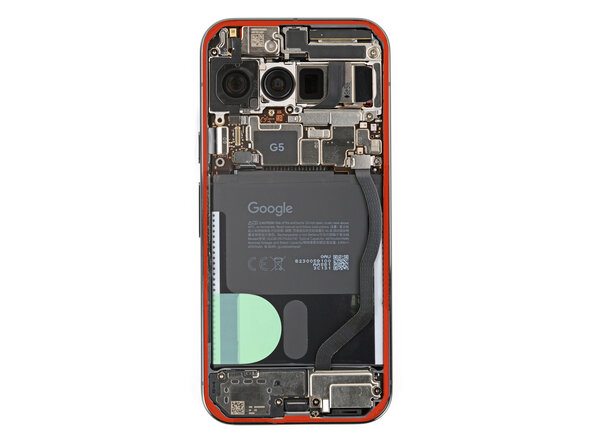
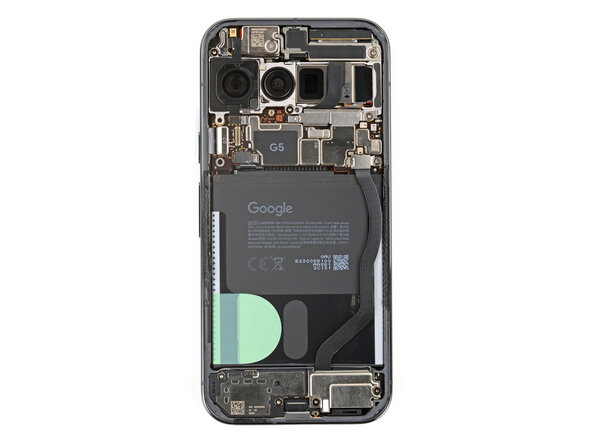
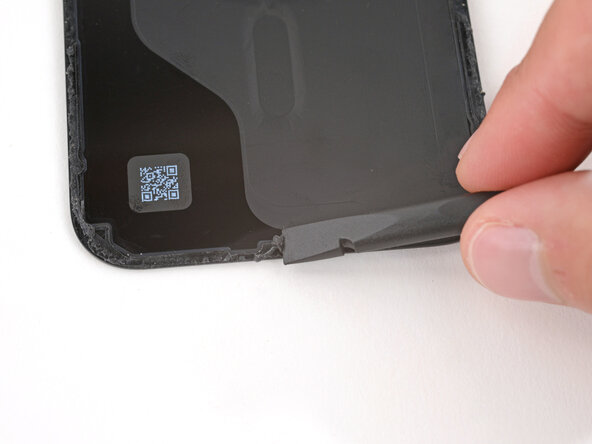
- Before installing new adhesive, all the old adhesive and its residue must be completely removed from the frame.
- Take your time during the next two steps. A clean frame allows replacement adhesive to lay totally flat, ensuring a better seal for your back glass.
- Removing all the old adhesive can be very tricky and time‑consuming.
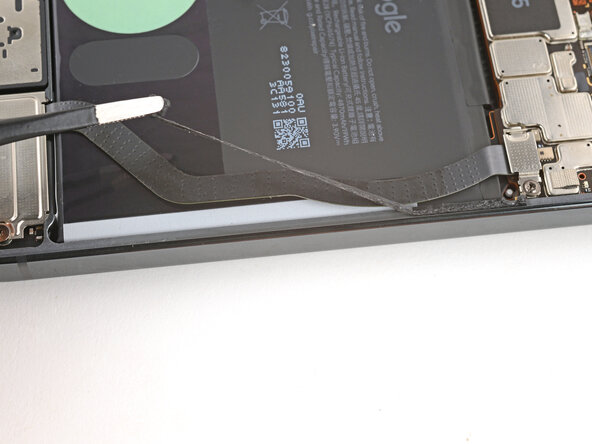
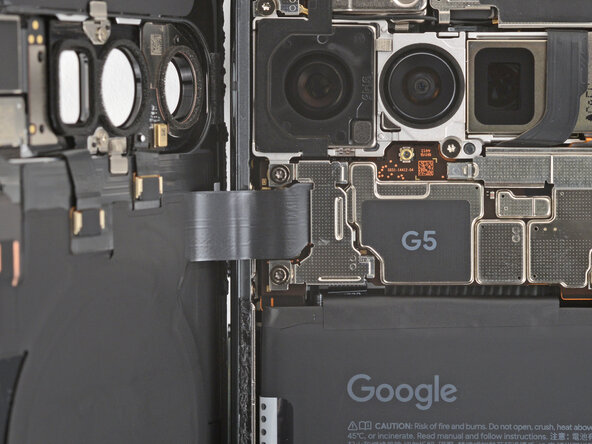
- When removing the back glass adhesive during this step, be very careful not to damage the battery or any of the fragile components near the perimeter of the frame.
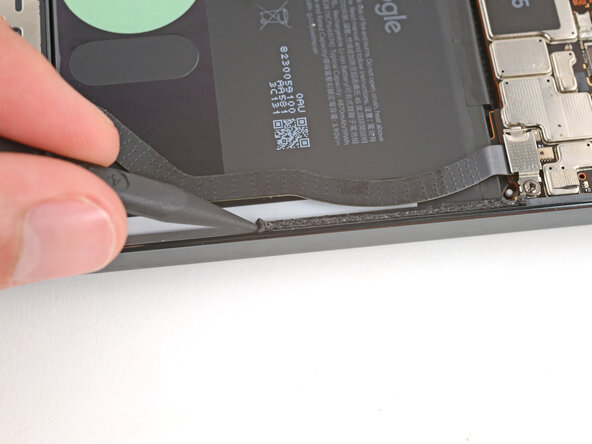
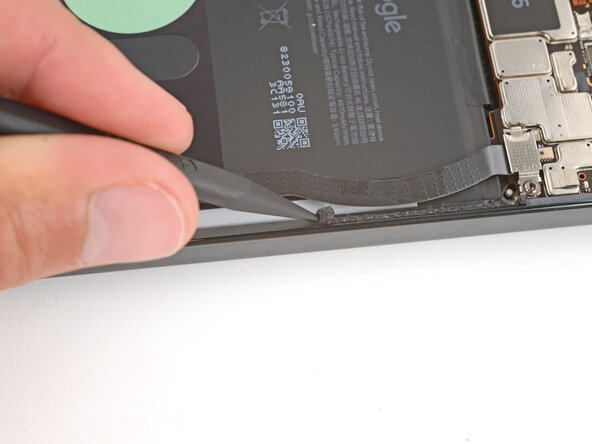
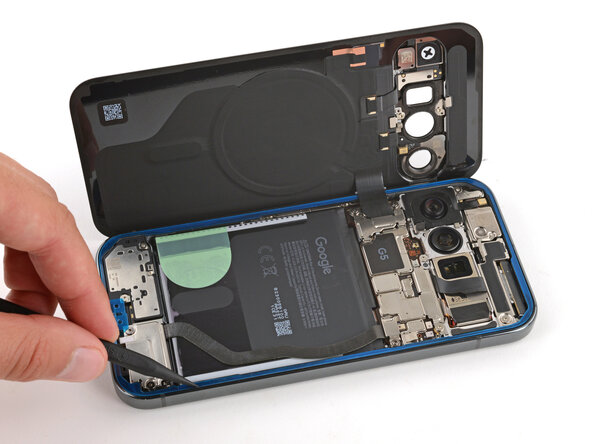
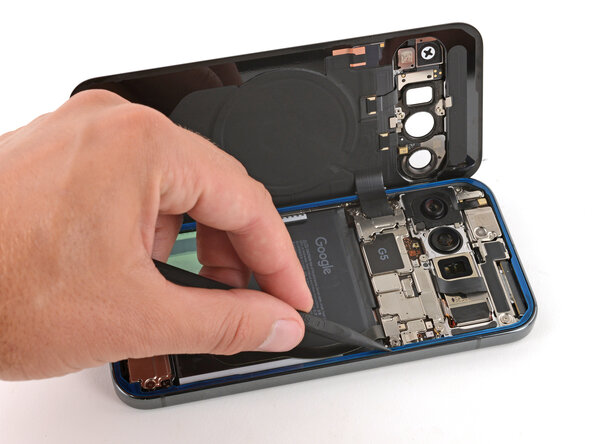
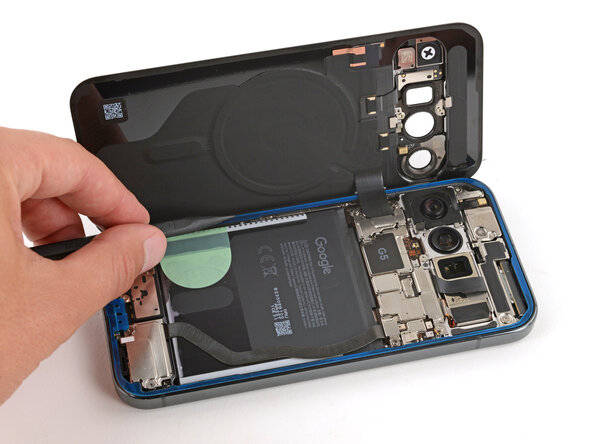
- Use the point of a spudger to remove all the old screen adhesive from the frame. Try to "roll" the adhesive onto itself so it balls up, making it easier to remove.
- If you can ball up a big enough chunk, use tweezers to slowly pull the adhesive the opposite way you were scraping with your spudger.
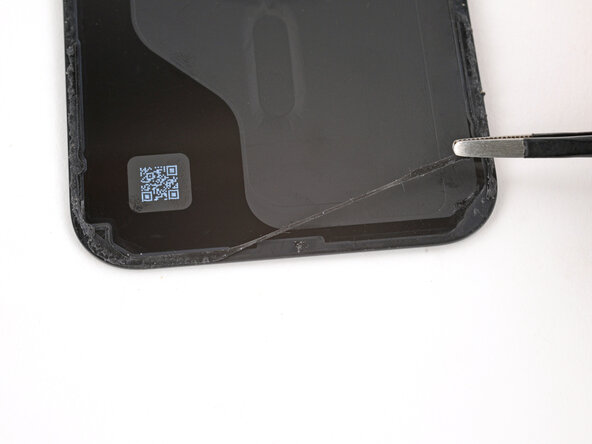
- If you're having trouble removing smaller chunks, apply a single drop of high‑concentration (>90%) isopropyl alcohol and scrape them up with your spudger.
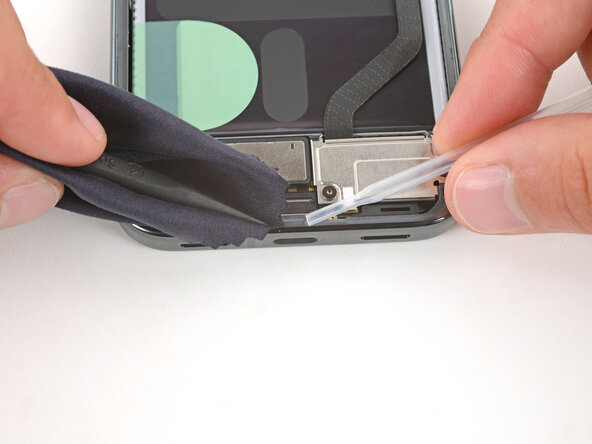
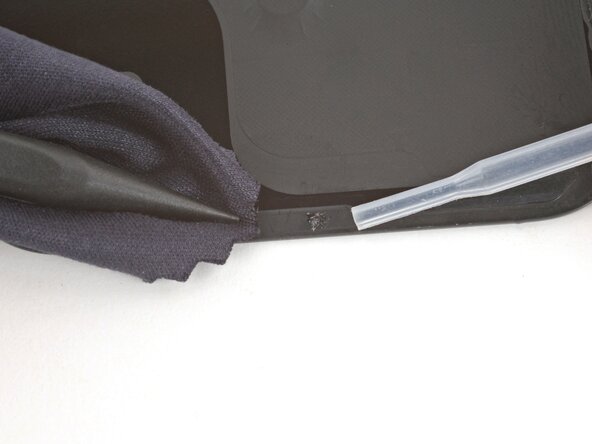
- Wrap a microfiber or lint‑free cloth around a spudger.
- Use the spudger and high‑concentration (>90%) isopropyl alcohol to clean up all the remaining adhesive residue from the frame, applying more drops of alcohol as necessary.
- Let the alcohol dry completely before continuing.
- If you're reinstalling your original back glass, repeat the procedures in the previous two steps on the back glass to clean it.
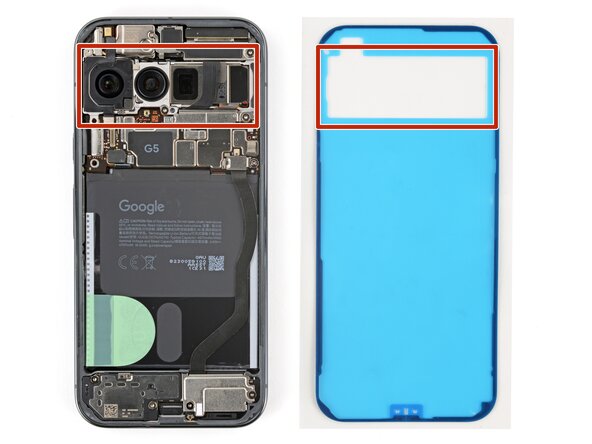
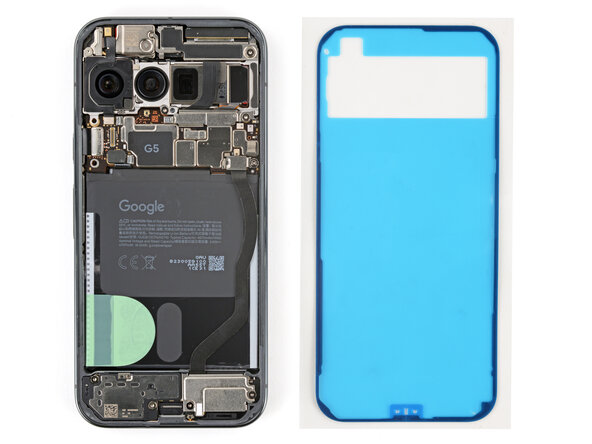
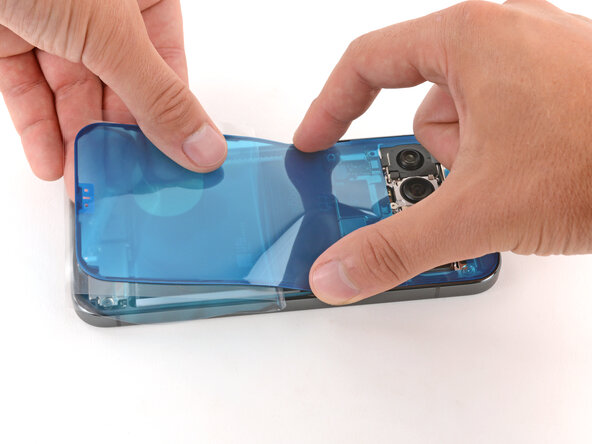
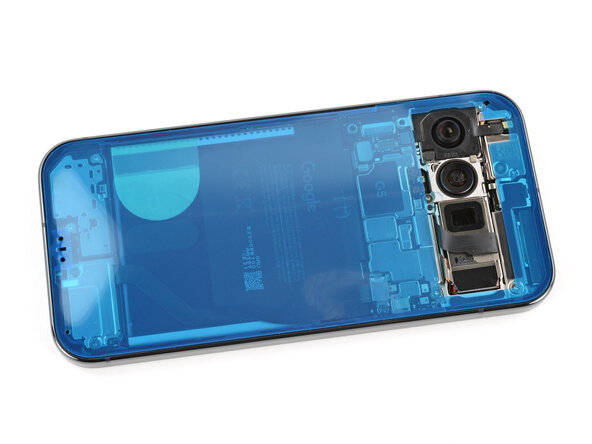
- Before applying the back glass adhesive, make sure you know how it will sit on the frame. If you apply the adhesive incorrectly, you'll need to restart with new adhesive.
- Hold the adhesive above the frame to find its orientation. Use the rear camera cutout in the liner to help visualize how it will lay in the frame.
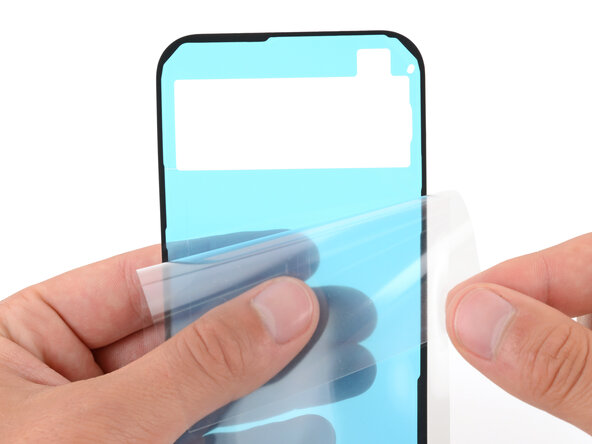
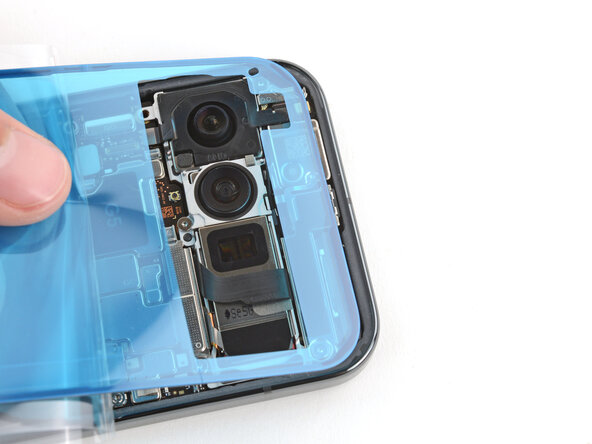
- Peel down the top half of the large, clear liner to expose the adhesive—don't fully remove the liner yet.
- Take your time aligning the adhesive with the frame—it's very sticky and can't be moved after you apply it.
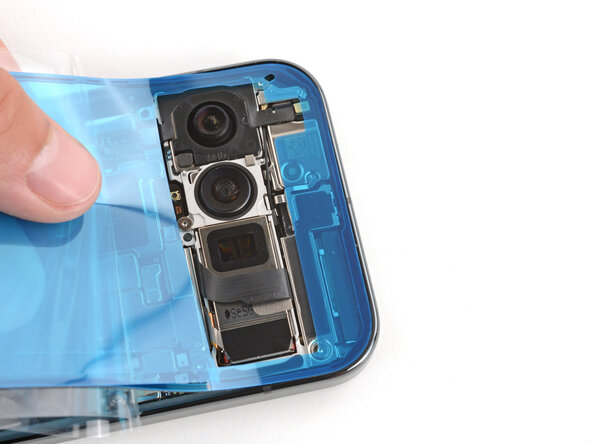
- With the larger, clear liner folded towards the bottom of the phone, lay the exposed top edge of the adhesive onto the frame.
- Use the lip of the frame to help align the adhesive.
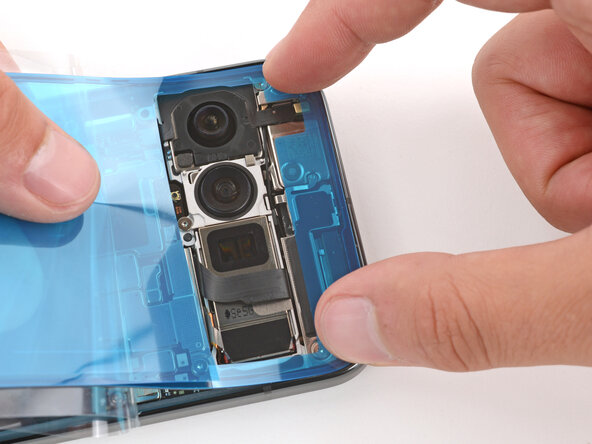
- Once the top edge is properly aligned, gently press down on the top corners to secure the adhesive.
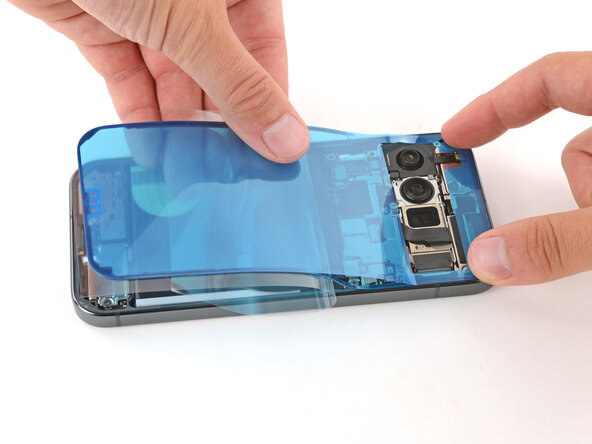
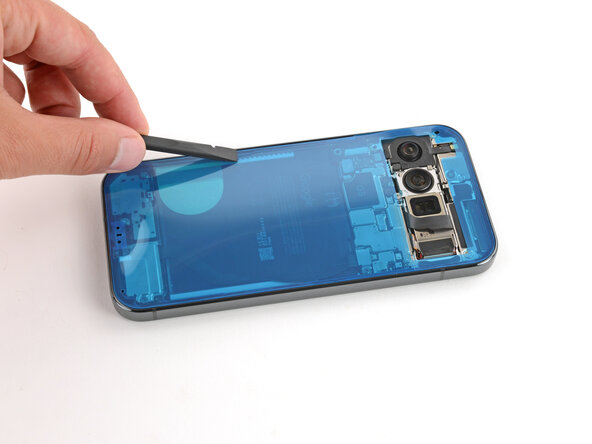
- Slowly lay the rest of the adhesive onto the frame, pressing it into place and peeling away the larger liner as you go.
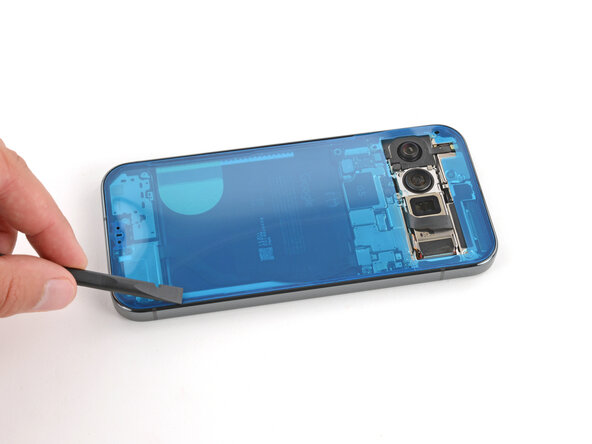
- Use a spudger to press down firmly on the adhesive to secure it to the frame.
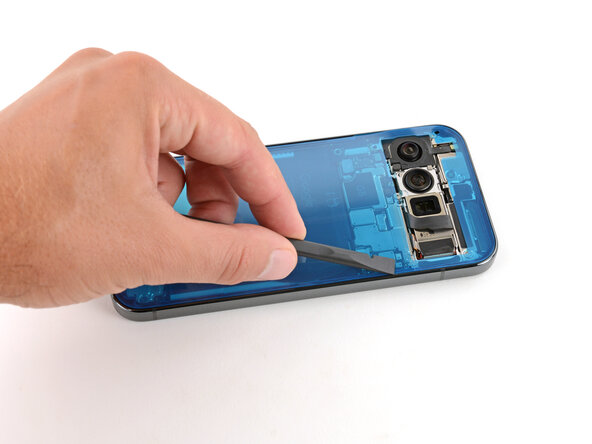
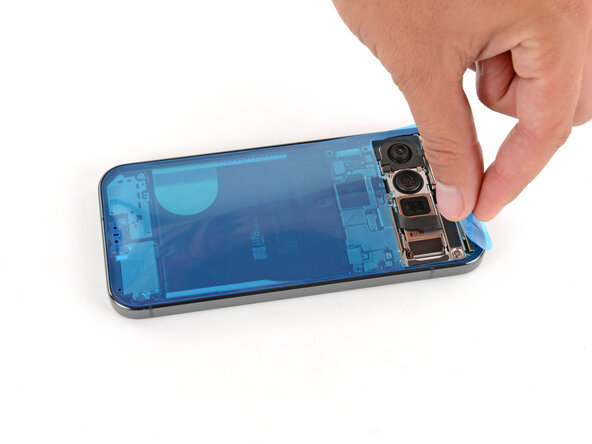
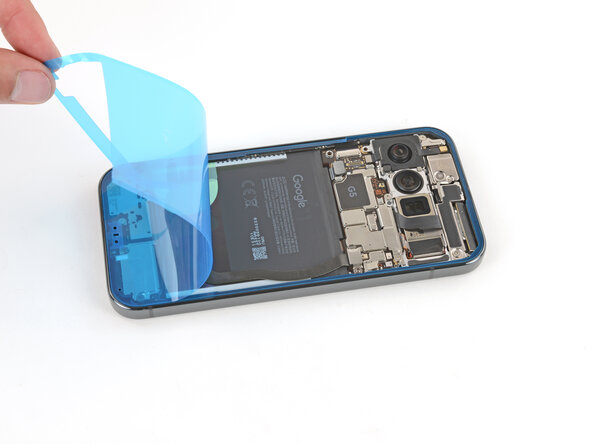
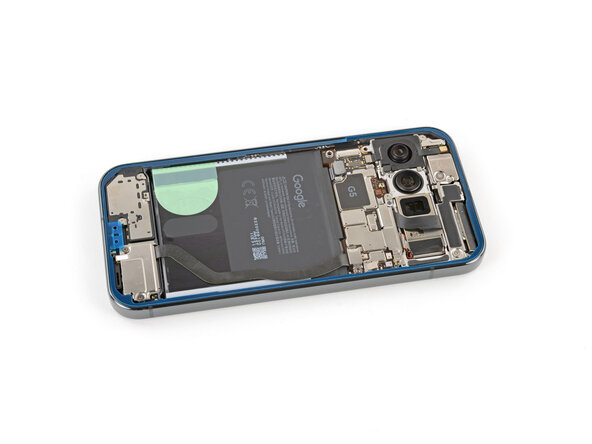
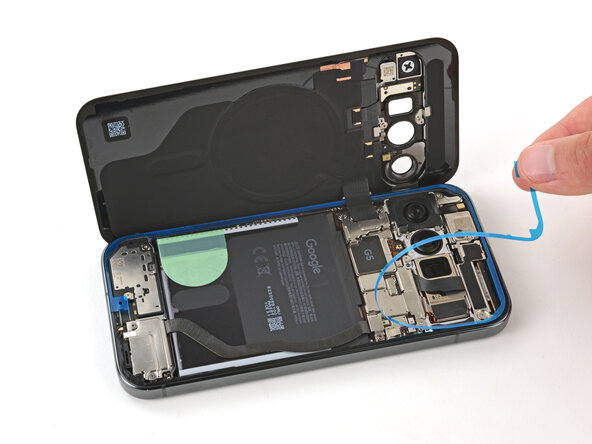
- Slowly peel up and remove the large colored liner, gripping it from the cutout near the top edge.
- If the adhesive starts to peel up with the liner, check that you’ve pushed all of it into place with your spudger. If it continues to peel up, hold it down with the point of your spudger as you go.
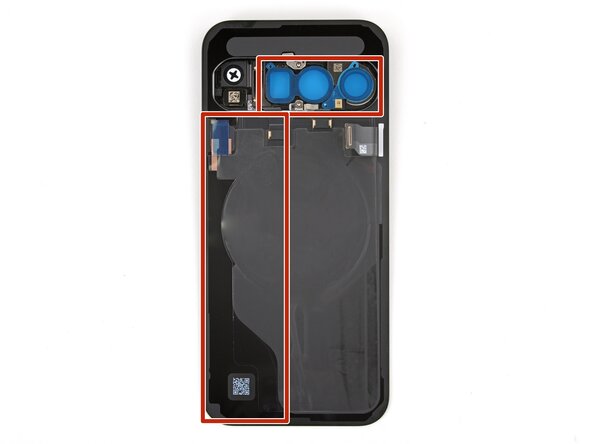
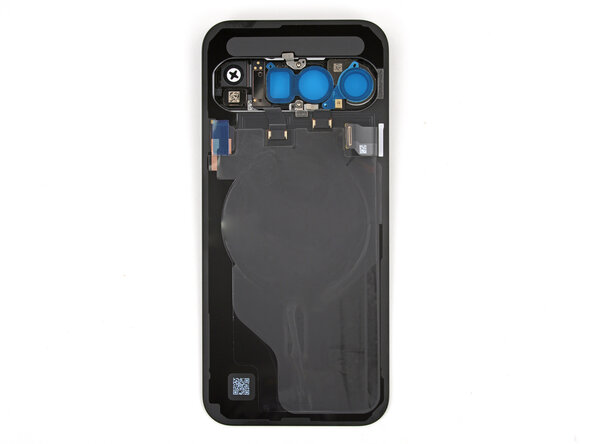
- If you're installing a new back glass, your replacement will have various protective liners and pieces of tape on the underside that must be removed. Your part may have different pieces in different locations, so make sure to check carefully!
- Remove all liners from the underside of the back glass, paying special attention to the front camera cutouts and bottom edge.
- Usually, you can identify the liners by their pull tabs.
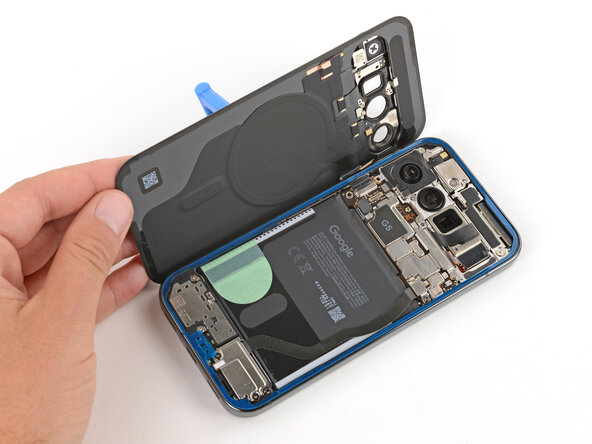
- Apply a suction handle to the back glass and prop it up on the left side of your phone, so the cable is near its connector.
- Alternatively, you can use a sturdy object (such as a stack of books) to prop up the back glass.
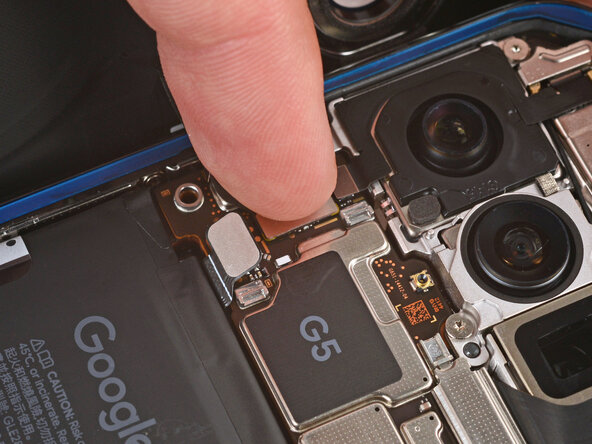
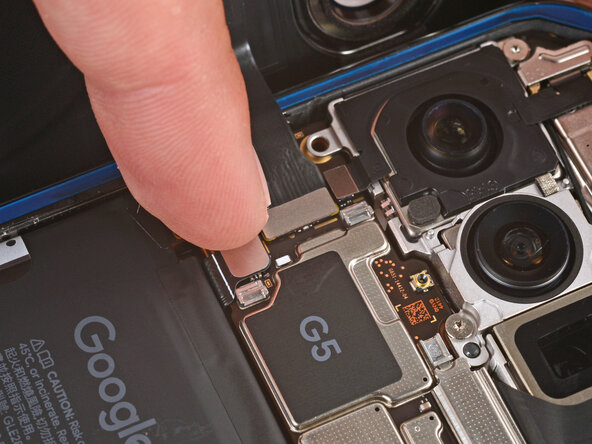
- Use your finger to press down and connect the back glass and battery press connectors.
- For wider connectors like the back glass one, first press down on one of the short sides until it clicks into place, then repeat on the other side. Don't press down in the middle. If the connector is misaligned, the pins can bend and cause permanent damage.
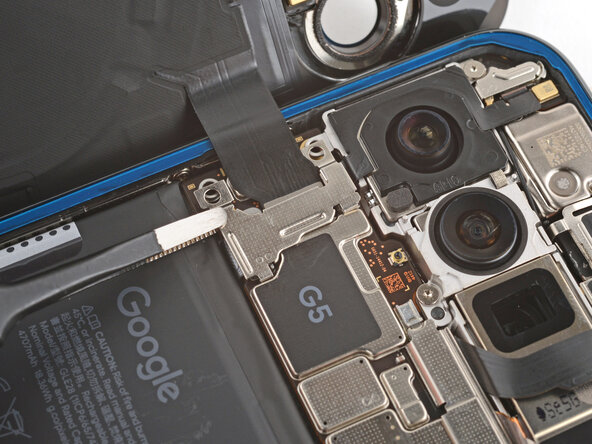
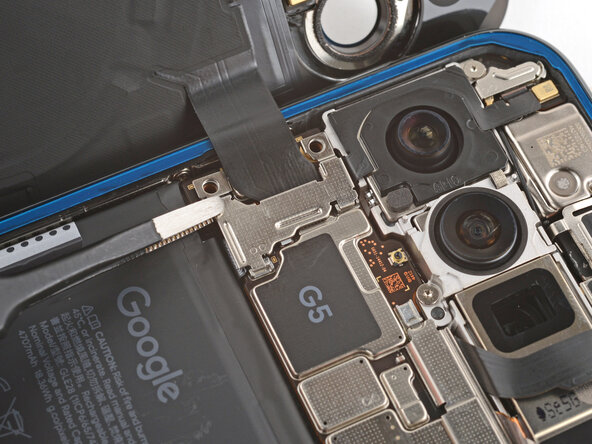
- Put the back glass connector cover back into place so the tabs hook into the slots.
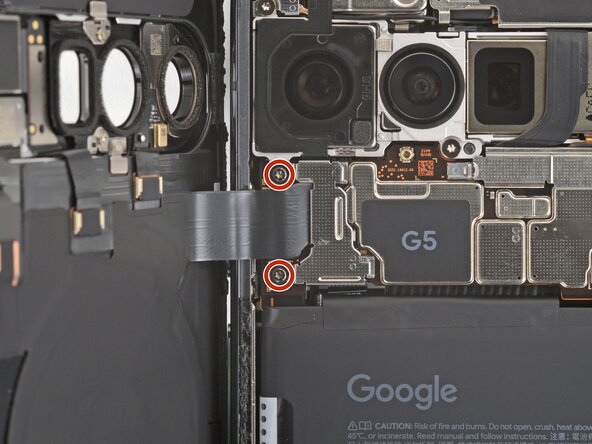
- Use a Torx Plus 3IP screwdriver to install the two 5.8 mm‑long screws securing the cover.
- Use a spudger to press down firmly on the adhesive to secure it to the frame.
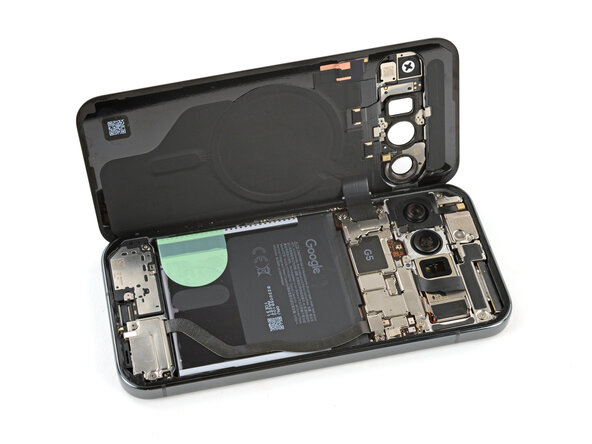
- This is a good point to power on your device and test all functions before sealing it up. If you have trouble, try some basic troubleshooting. Be sure to power back down completely before you continue working.
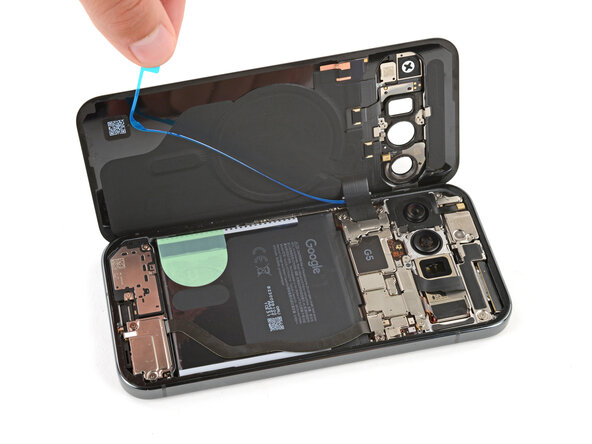
- Remove the remaining liners from the back glass adhesive.
- If the adhesive starts to peel up with the liner, check that you’ve pushed all of it into place with your spudger. If it continues to peel up, hold it down with the point of your spudger as you go.
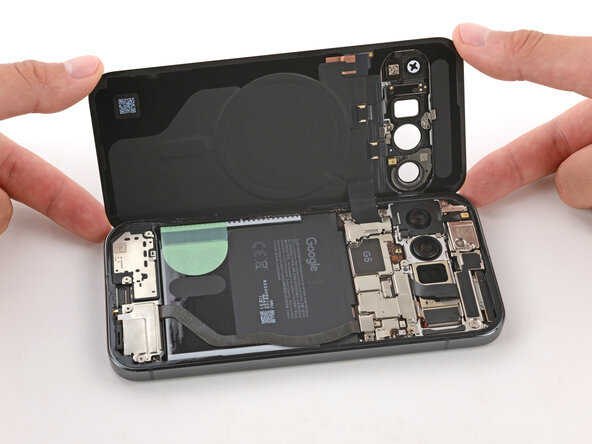
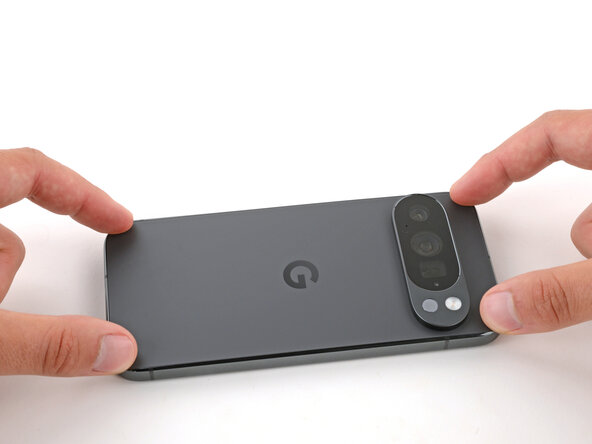
- Flip the back glass onto the frame and press it firmly into place.
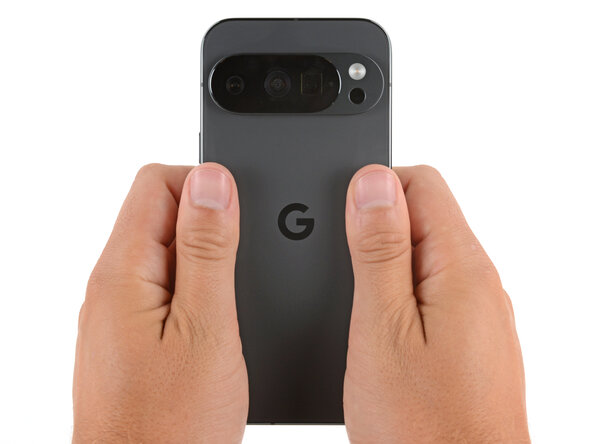
- Hold your phone up and squeeze firmly around the perimeter to strengthen the bond.
- For an even stronger bond, you can stack books on the back glass or use screen vise clamps.