Sony Walkman D-E356CK Back Panel Replacement
ID: 200030
Description: If your Sony Walkman D-E356CK has issues within...
Steps:
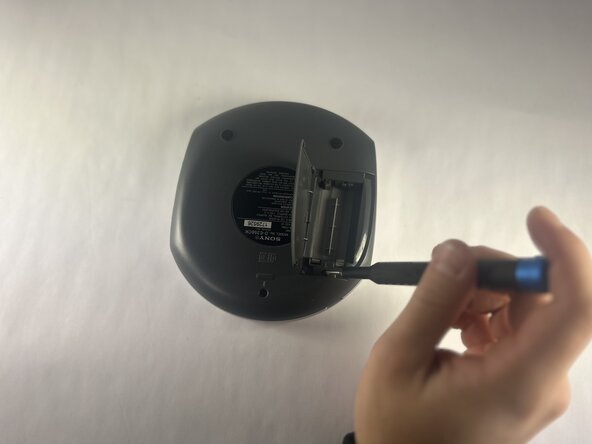
- Open the battery compartment.
- Remove the AA batteries from within the compartment.
- Press the button located in the bottom left corner of the device labeled "open."
- Remove the three 11 mm-long Phillips screws.
- Open the battery compartment.
- Remove the two 11 mm-long Phillips screws on the back side of the Walkman.
- Insert an opening tool into the seam between the back panel and chassis.
- Pry around the perimeter until the back panel releases.
- Remove the back panel.