Dell Latitude 3150 Keyboard Replacement
ID: 200055
Description: If your Dell Latitude 3150 keyboard is...
Steps:
- Remove the seven 5 mm screws using a Phillips #1 screwdriver.
- Pry the back open with a plastic opening tool, working around the edges until all the retaining clips are disengaged.
- Remove the two Phillips 3 mm screws connected to the battery using a Phillips #1 screwdriver.
- Carefully lift the battery and unplug the battery cable from the device.
- Remove the battery from the laptop.
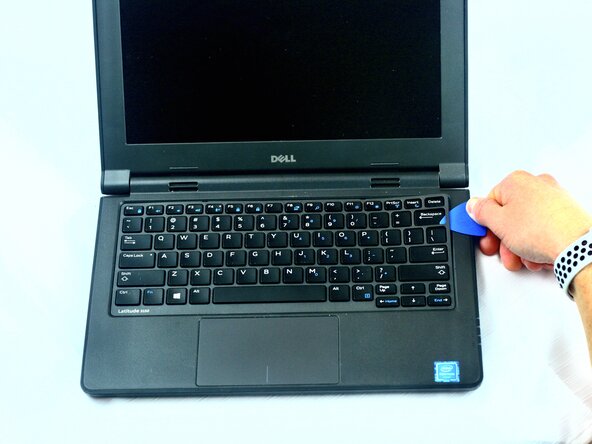
- Using an opening pick, carefully pry up and unsnap the keyboard bezel.
- Using the Phillips #1 screwdriver, remove the five 3mm screws.
- Using the metal spudger, lift the safety clip and gently disconnect the keyboard cable connector.
- Lift the keyboard and remove it from the laptop.