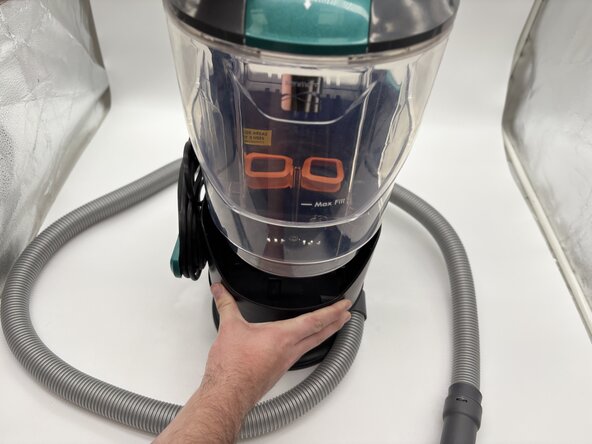
Kenmore SpotLite KW2001 Vacuum Pump Replacement
ID: 200063
Description: In this guide, we will go over how to replace...
Steps:
- Remove the clean water tank by lifting upwards and set it aside.
- Remove the dirty water tank by lifting upwards to access the inside of the vacuum.
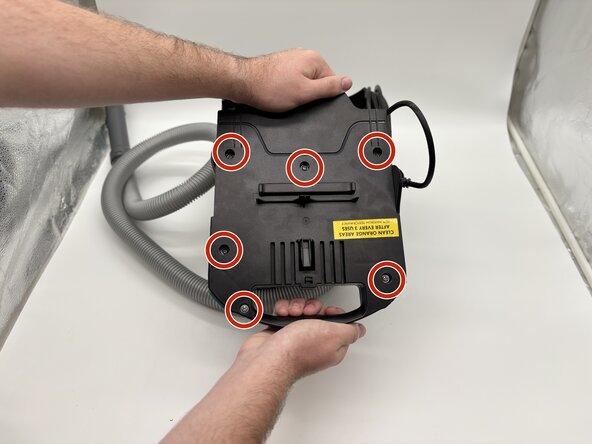
- Remove the four 16 mm Phillips #2 screws that secure the lower case.
- Use a long Phillips #2 screwdriver for easy removal of the screw in the upper right.
- Lift the handle upwards, and the bottom piece should come up with it.
- Remove the part of the vacuum with the handle and power button by pulling upwards.
- Carefully turn the part on its side, and remove the five 16 mm screws with a Phillips #2 screwdriver.
- Remove the white hose by lifting upwards.
- Remove the pump from the vacuum motor.
- Unscrew the two 7.5 mm #1 Phillips screws on the pump.
- Push down and twist to remove the white plastic piece from the black plastic piece.
- Keep track of the metal pieces, the springs, and the black and white plastic rings.
- Disconnect the hose from the black plastic piece by pulling or using a metal spudger.
- Pull on the hose to remove it from the pump.
- The metal piece surrounding the pump should come undone in the process. Place to the side.
- Remove the wire with a beige piece attached from its place
- Remove the plastic covering on both white and black wires connected to the pump.
- Push down on the protruding metal on the white wire, and pull to remove.
- Repeat Step 7 for the black wire.
- You should be left with just the pump.