Lenovo ThinkPad L470 RAM Replacement
ID: 200067
Description: Use this guide to replace or upgrade the memory...
Steps:
- Turn off the laptop and unplug the AC adapter.
- Slide the battery latch to unlock and lift out the external battery.
- Hold the power button for 10 seconds to discharge any leftover power.
- Use a Phillips #0 screwdriver to loosen the captive screws on the bottom cover.
- Use an opening tool to pry the back cover off of the laptop.
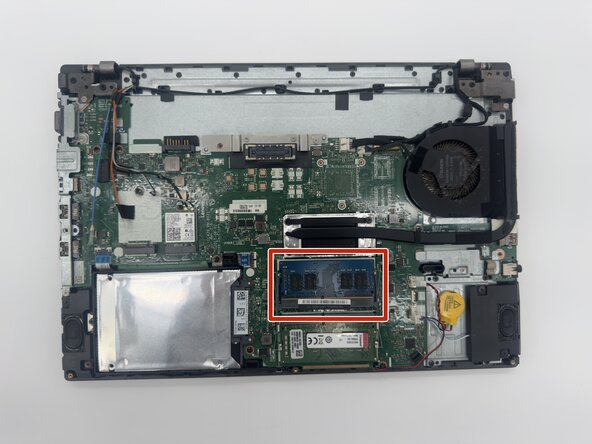
- Fold back the thin shielding flap to reveal the RAM module(s).
- Gently push the two metal clips on the sides of the RAM outward at the same time.
- The RAM will pop up at a 30° angle.
- Gently pull the RAM straight out of its slot. If there are two modules, repeat the process for the second slot.