Lenovo 500e Chromebook 81ES Touchpad Replacement
ID: 200160
Description: This guide will help you replace the touchpad...
Steps:
- Use a Phillips #0 screwdriver to remove the ten 4 mm-long screws that secure the lower case.
- Insert the flat end of a spudger into the seam between the lower case and chassis.
- Pry around the entire perimeter until the lower case fully releases.
- Remove the lower case.
- Use a spudger to flip up the locking flap securing the lower I/O board ribbon cable to the motherboard.
- The cable should be able to freely move back and forth. If not the plastic gate might not be fully unlocked.
- Use tweezers to disconnect the battery connector.
- Use a Phillips #0 screwdriver to remove the four 4 mm-long screws that secure the battery.
- Slide a spudger under the battery.
- Slightly lift the battery with the spudger, then grip and remove the battery.
- If the battery appears bulging or has any visible bubbles, proceed with extreme caution during removal.
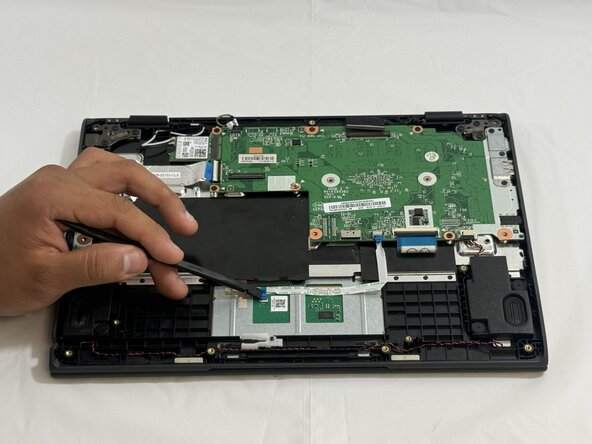
- Use a spudger to flip open the locking flap securing the touchpad ribbon cables.
- Disconnect the touchpad ribbon cable.
- Lift the black shielding.
- Use a Phillips #0 screwdriver to remove the three 2 mm-long screws that secure the touchpad.
- Using the spudger, remove the tape on the touchpad.
- Apply gentle pressure with the spudger around the edges to pop out the touchpad.
- Slightly open the laptop lid and remove the touchpad.