Dell Chromebook 13 3380 Touchpad Replacement
ID: 200247
Description: This guide will show you how to replace the...
Steps:
- Flip over the device so it is face down.
- Use a Phillips #0 screwdriver to remove all nine anchor screws.
- Gently remove the back cover.
- You may need to use an opening tool to pry the cover away.
- Use the Phillips #0 screwdriver to remove the four screws attached to the battery.
- Unplug the flat flexible cable (FFC) connector from the circuit board.
- Remove the battery.
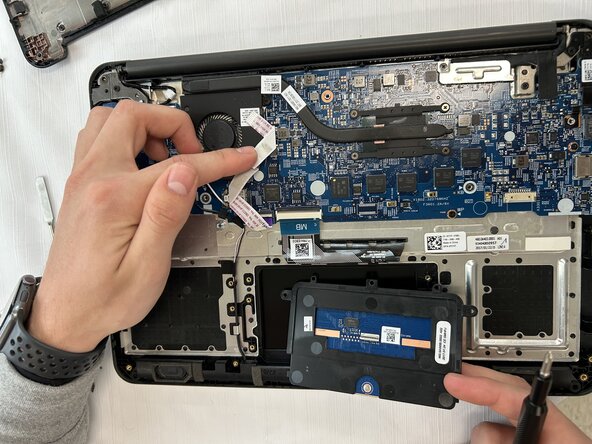
- Unscrew the touchpad.
- Unplug the ribbon.
- Remove the touchpad.