Mitsubishi MSZ-GL18NA HEPA Filter Replacement
ID: 206895
Description: This guide is to assist in replacing a HEPA...
Steps:
- Turn off the Mitsubishi Unit using the remote.
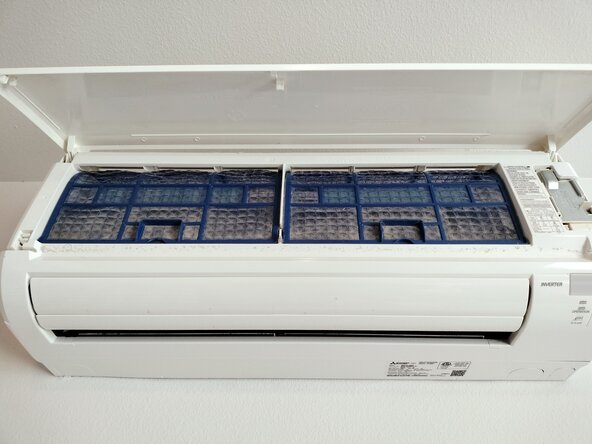
- Gently pull the panel door toward yourself from both sides at the same time to safely open the unit.
- You may need a ladder to access.
- Lift the panel to reveal both filters.
- Push up slightly and pull the filter toward yourself.
- Repeat for the second filter.
- Clean the unit of dust and debris using a cloth or vacuum.
- At this point you could vacuum your unit out if it is excessively dusty.
- Aluminum coil fins can cause cuts if not careful.
- Insert the new filters into the unit.
- Push them up and in.
- Then pull them down into place to secure.
- Gently close the panel door.
- This is where the panel will latch.
- Be sure to listen for a click to ensure it is properly secured.