2008-2012 Buick Enclave Stereo Head Unit Replacement
ID: 212086
Description: Use this guide to remove the factory stereo...
Steps:
- Use a plastic trim removal tool to release the clips holding the trim piece to the dashboard
- Then, carefully pull the trim straight away from the dashboard and set it to the side
- The climate control buttons are part of this trim piece and are attached with multiple wiring harnesses to the rest of the dashboard
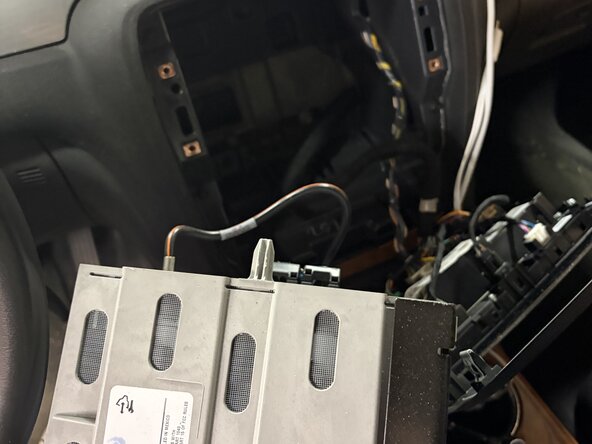
- Use a 7mm socket or nut driver to remove the 4 bolts securing the head unit
- Then, carefully pull the head unit out from inside the dashboard.
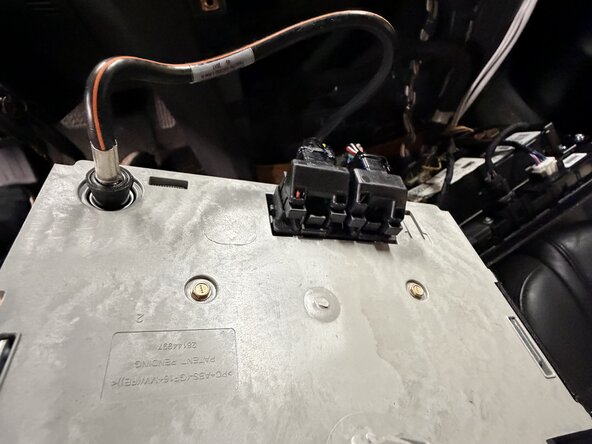
- On the back of the head unit, release the 2 black connectors by pressing the button on top of the connector and carefully pulling the connectors away from the head unit
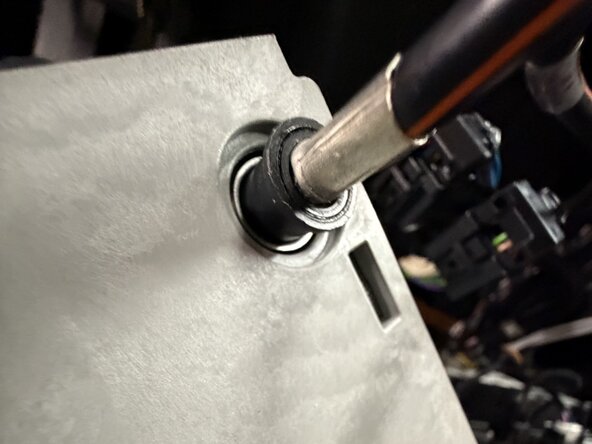
- To remove the antenna cable, grip the connector by the black plastic ring and carefully pull it away from the head unit