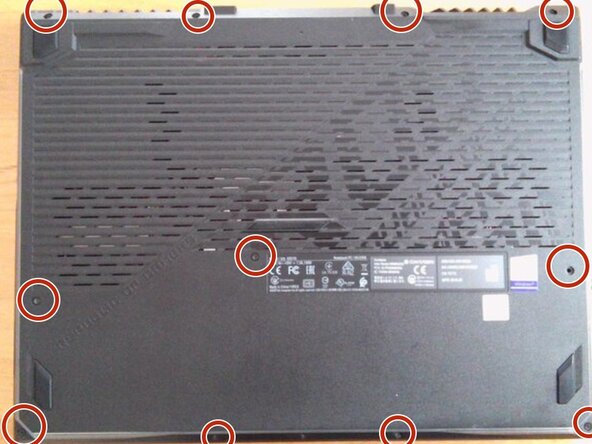
Open the bottom of the Asus G513GT
ID: 212306
Description: This is a guide for prerequisites. It is not...
Steps:
- Remove all the screws on the bottom.
- Remove the top left screw.
- If possible, please insert a pick.
- Remove the left claw.
- Remove the top right claw.
- Remove the claw on the right side
- Remove the lower claw.
- Grab the side with the HDMI port and other ports and open the cover. Please refer to the image.
- Remove the pin.