Punkt MP02 Battery Replacement
ID: 213281
Description: If your phone's battery seems to drain very...
Steps:
- Use a SIM card eject tool to to eject and remove the SIM card tray on the side of the phone.
- The back panel is held on by glue and multiple tabs.
- Slide a Jimmy into the seam between the back panel and the chassis.
- Slide the Jimmy around the perimeter to release the back panel, with care not to damage the retaining clips.
- Clean any old adhesive with a spudger and isopropyl alcohol, then apply new adhesive to the back panel before reinstalling it.
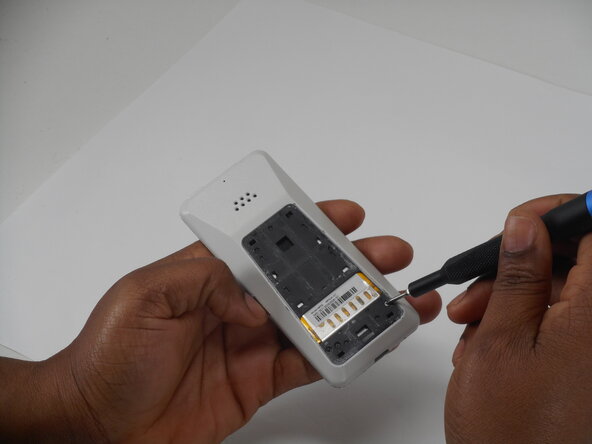
- Use a Phillips screwdriver to remove the two adjacent 3 mm Phillips screws.
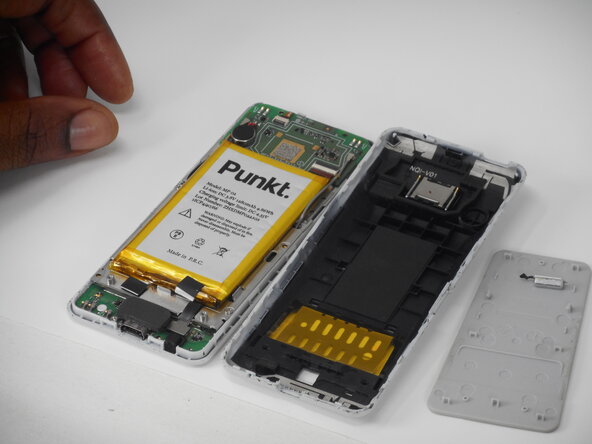
- Insert a Jimmy into the seam between the front and back case.
- Slide the Jimmy around the perimeter while prying to separate the front and back case.
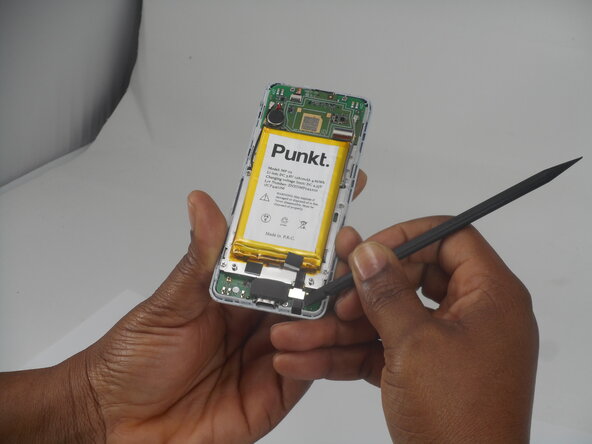
- Use a spudger to pry up and disconnect the battery press connector.
- Make sure to pry under the connector itself and not on the board.
- Gently pry the battery off with the spudger tool.
- Take care not to bend, warp, or puncture the battery during removal.