Lenovo ThinkBook 15 G2 ITL Trackpad Replacement
ID: 213319
Description: If your Lenovo ThinkBook 15 G2 ITL (20VE00QESA)...
Steps:
- Make sure the computer has been shut down before proceeding.
- Place the computer upside down on a flat surface.
- Remove ten 5mm screws with the Phillips #00 screwdriver.
- Pry up the latches using an opening pick.
- Remove the lower case to show the internal components of the computer.
- Disconnect the battery pack cable from the system board.
- Use your fingernails to pull the connector to unplug it. Do not pull the cable.
- Remove the four 5mm screws with the Phillips #00 screwdriver.
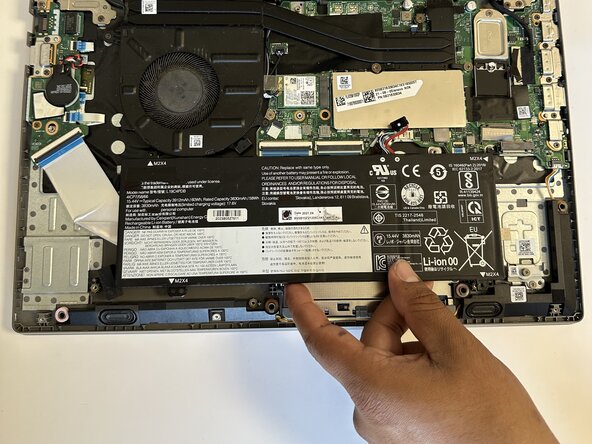
- Gently pry and remove the battery pack.
- Remove the four 5 mm screws using a Phillips #00 screwdriver.
- Gently pull the ribbon cable out using your fingers.
- Gently peel off the tape.
- Remove the trackpad.