Sigma 70-200mm F2.8 DG OS HSM Canon EF Zoom Repair
ID: 219253
Description: A common problem with many lenses, not just...
Steps:
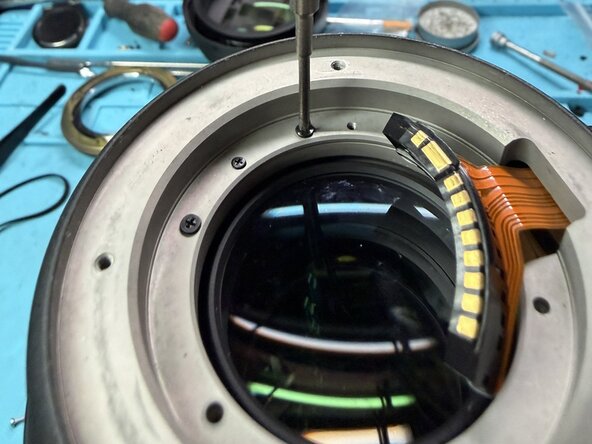
- Remove the lens mount. 4 screws, followed by the screws that secure the lens connector and inside bezel. (Not pictured) The black bezel simply lifts out. Be careful not to catch the lens contacts. Lift the mount off the back of the lens
- Remove the zoom and focus grips and the tape underneath. (not pictured).
- Remove the shims and take note of their orientation. The slotted hole goes to the right of the connector.
- Remove the 2 screws for the bezel
- Remove the screws that hold down the rear housing. THESE SCREWS ARE TIGHT. Ensure you have a proper JIS driver.
- Lift the rear housing straight up. Be mindful of the flex cable for the connector.