Garmin Dezl 760LMT Battery Replacement
ID: 72556
Description: This guide will explain how to open your...
Steps:
- Using a Torx T6 Screwdriver, remove the ten 7mm screws from the back panel.
- Using a metal spudger, pry the device apart.
- To recombine them, line up the two halves of the device and press them together.
- Turn the device over, laying it on its back with the screen facing upwards.
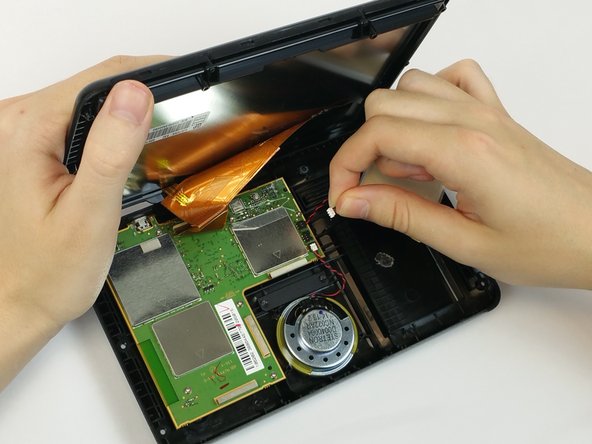
- Lift the front panel away from the silver part of the back panel.
- Make sure not to rip the ribbon cable that is connected to the screen and the motherboard.
- This photo shows the use of a tool that is not ESD safe. Use a nylon spudger to complete this step.
- Use a nylon spudger to pry the battery from the device.
- During reassembly, place double-sided electrical tape under the battery before pressing it into its slot.
- Grasp the battery wire near the motherboard and lift upward to detach the connector.