Toshiba Satellite R15-S829 RAM Replacement
ID: 74702
Description: This is a guide to replace the RAM. You may...
Steps:
- Unplug the charging cable from the laptop.
- Turn off the laptop.
- Turn the laptop over and locate the battery.
- Push the small switch near the corner of the laptop to the unlocked position.
- Push the bigger switch in the direction of the icon and pull the battery away from the laptop.
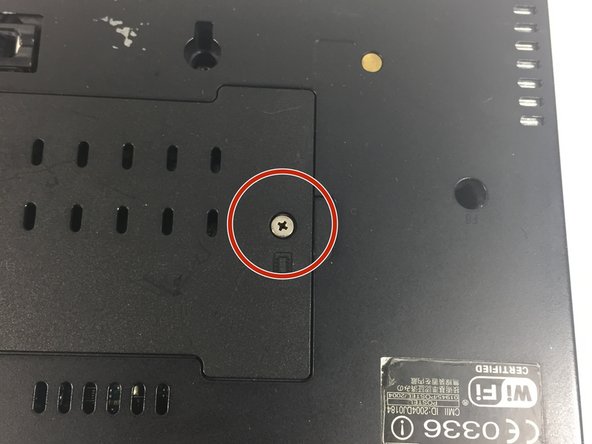
- Locate the cover where the RAM is located.
- Locate the screw.
- Loosen the screw for the cover. The screw is attached to the cover, so you don't need to worry about losing it.
- Lift the cover.
- Push the two silver tabs outward so that the RAM can move upward.
- Pull the first RAM module out of the socket.
- The second RAM is removed in the same way as the first.
- Push the tabs outward and pull out the RAM.