How to modify Belkin Sync Dock for iPhone with protective case
ID: 75203
Description: Alter the Belkin Dock F8J045 to be able to...
Steps:
- A thin rubber case on the iPhone makes the lightning connector unreachable.
- Let's see if the position of the connector can be altered.
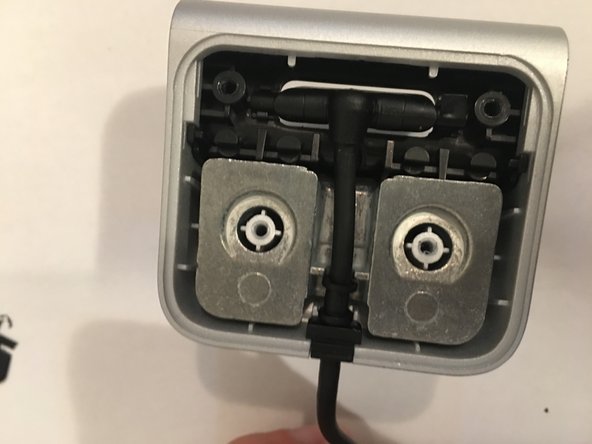
- Remove the sticker on the back side of the dock.
- Remove the four screws
- Take down the black plate
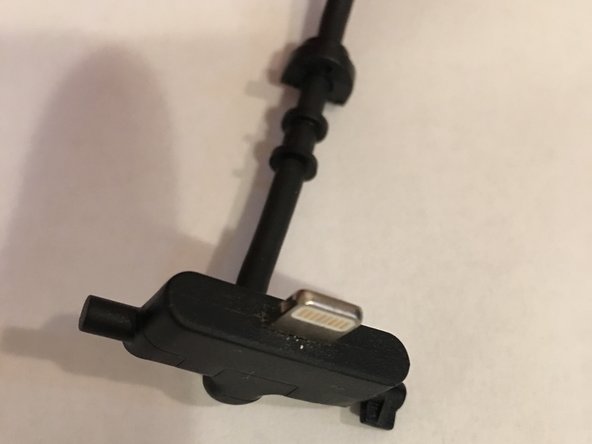
- Remove the cable from the case (it pops out with ease)
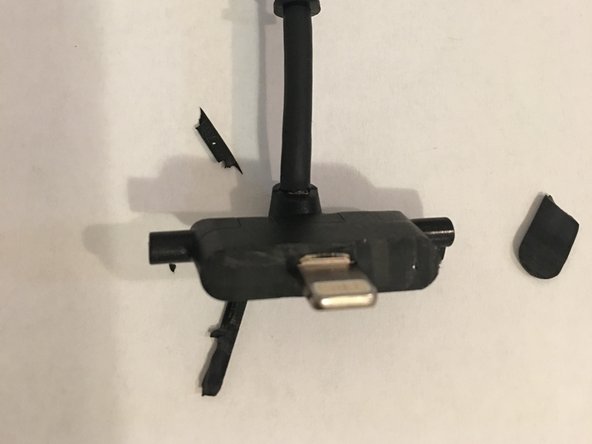
- Using a cutter, carefully, cut out the plastic around the base of the connector (about half of mm or so)
- Make sure you don't cut into the lightning connector!
- Connect the cable to an usb port and check if your phone charges.
- If it's not enough, take out more of the excess plastic
- Enjoy!