JBL Charge 2 Battery Replacement
ID: 98898
Description: How to disassemble the JBL Charge 2 for a...
Steps:
- Remove the screen cover from the speaker using a metal spudger.
- Using a Phillips #1 screwdriver (PH1), remove the (4) four 8mm screws.
- Remove the end cap of the device. Repeat the same process to remove the other end cap.
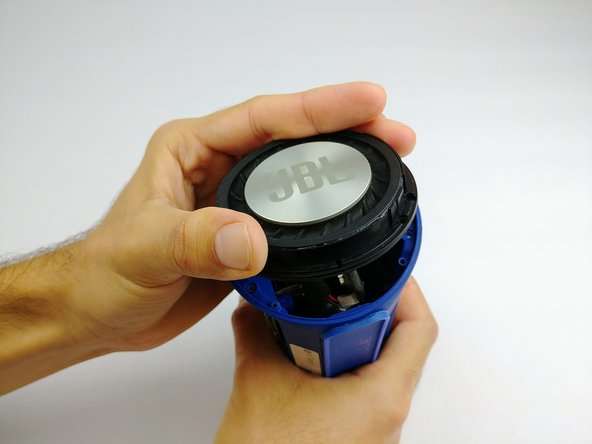
- To remove the end diaphragms, use a Phillips #1 screwdriver (PH1) and remove the (4) four 6mm screws.
- Twist off the end cap and remove them from the device.
- Use a Phillips #1 screwdriver (PH1) to remove the (2) two screws from the battery cover.
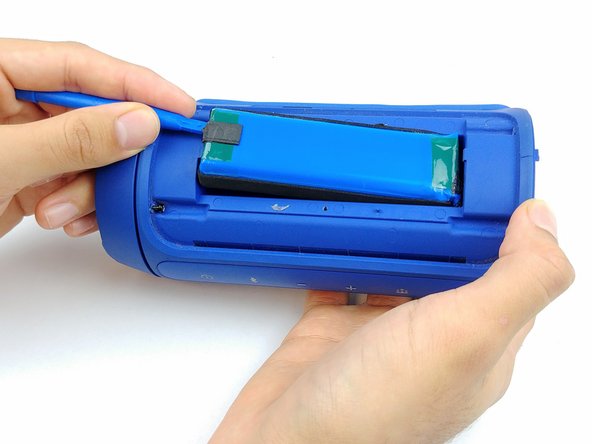
- Pry away the plastic battery cover with a plastic spudger.
- Disconnect the battery connector with a plastic opening tool and wiggle the connector free.
- Scrape the battery wire sealant off with a plastic opening tool, and ensure it is free of the body of the speaker and wires.
- Slide the battery free.