Samsung Chromebook XE500C21-A03US Speakers Replacement
ID: 98924
Description: This guide will help you replace your speakers...
Steps:
- Turn the power off before beginning this step.
- Most Chromebooks contain rubber circle pads on each of the four corners to cover the screws. In order to remove the rubber pads, simply use any opening tool.
- Lay the Chromebook down so that the bottom cover is facing upward.
- Using a Phillips #00 screwdriver, remove all seven 5.5 mm screws from the back cover.
- Place the opening tool in the divot between the spine of the Chromebook and the back cover.
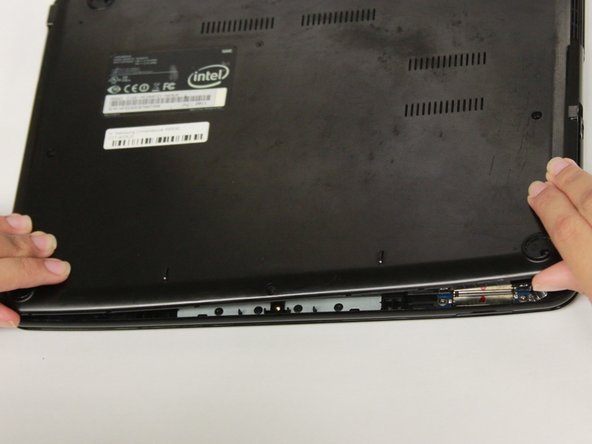
- Slowly glide and push down the end of the opening tool along all sides of the Chromebook to detach the brackets. You will hear the brackets detach.
- Using the opening tool, pry off the back cover of the Chromebook
- Be gentle while prying to avoid breaking the back cover.
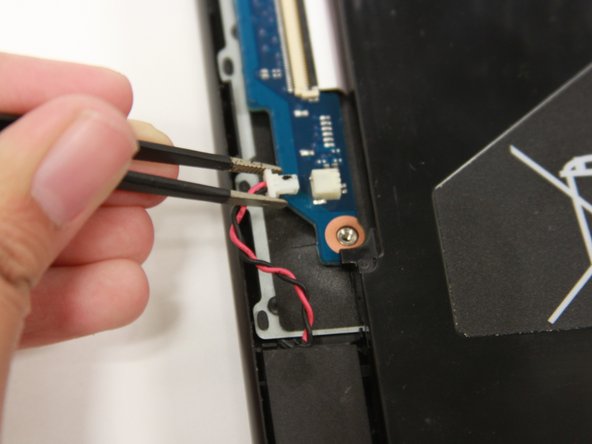
- Use a blunt precision tweezer to remove the speaker cord from the R.A.M.
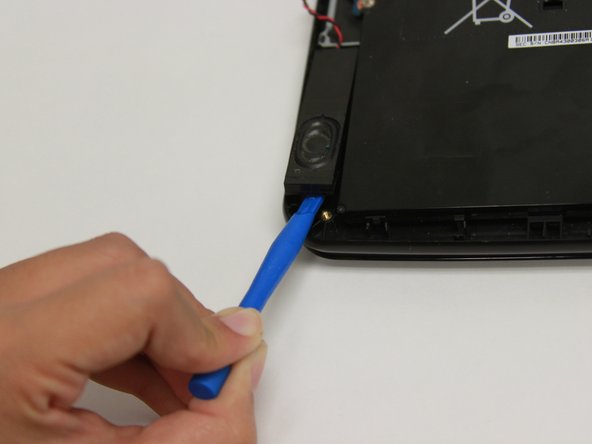
- Use the prying tool to find the divot then slowly add pressure until the speaker pops out.
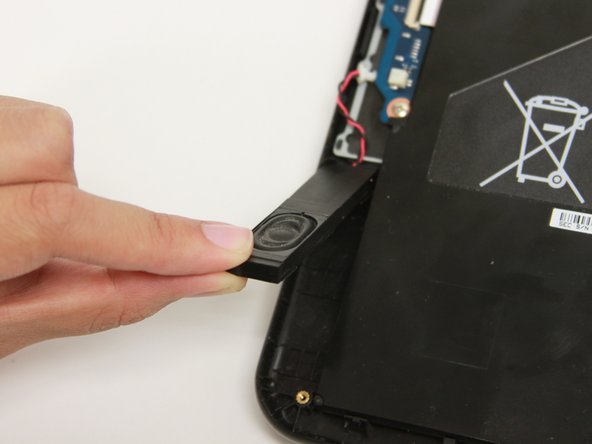
- Gently lift and remove the speaker from the Chromebook.